Desertcart purchases this item on your behalf and handles shipping, customs, and support to Austria.
🎥 Elevate your presence with AI-powered 4K clarity — never miss a moment, never blend in.
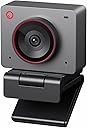
The OBSBOT Meet 2 is a sleek, ultra-compact 4K webcam featuring a large 1/2" CMOS sensor for superior image quality, AI-driven framing and autofocus for effortless professional video, and dynamic gesture controls for hands-free operation. Designed for streamers, gamers, and remote professionals, it offers plug-and-play USB-C connectivity, dual omni-directional noise-canceling microphones, and a lightweight form factor that fits perfectly into any modern workspace or mobile setup.


| ASIN | B0D9W7J9SK |
| Antenna Location | video calls, streaming, meetings, gaming |
| Best Sellers Rank | #35 in Webcams |
| Brand | OBSBOT |
| Built-In Media | USB Cable |
| Camcorder Type | Webcam |
| Color | Meet 2 Grey |
| Compatible Devices | Laptop, Personal Computer, Tablet |
| Connectivity Technology | USB |
| Customer Reviews | 4.5 out of 5 stars 2,224 Reviews |
| Digital Zoom | 4 x |
| Display Resolution Maximum | UHD |
| Effective Still Resolution | 48 mp |
| Effective Video Resolution | 48 mp |
| Exposure Control Type | Automatic |
| File Format | MJPEG/YUV |
| Flash Memory Type | NOT Available, Rely on Your PC/Mac |
| Focus Type | Auto Focus |
| Form Factor | Ultra Compact |
| Image Aspect Ratio | 16:9 |
| Image stabilization | false |
| Item Dimensions D x W x H | 0.43"D x 0.2"W x 0.41"H |
| Item Weight | 40.5 g |
| Lens Type | Prime |
| Manufacturer | OBSBOT |
| Maximum Aperture | 1.8 f_stop |
| Maximum Focal Length | 26 |
| Minimum Aperture | 2.8 millimeters |
| Minimum Focal Length | 10 |
| Model Name | MEET 2 Grey |
| Model Number | MEET 2 |
| Photo Sensor Size | 1/2-inch |
| Photo Sensor Technology | CMOS |
| Screen Size | 2 inches |
| Sensor Type | CMOS |
| Shooting Modes | Landscape/ Portrait/ Up-side-down |
| Special Feature | Multiple Color Options, Sleek and Lightweight, Experience Stunning 4K Clarity, AI Framing and Auto Focus and Gesture Control, Plug and Play Simplicity |
| Style Name | Minimalist |
| Supported Audio Format | AAC, MP3, PCM |
| Supported Image Format | JPEG, PNG, GIF |
| UPC | 783970236326 |
| Unit Count | 1 Count |
| Video Capture Format | MP4 |
| Video Capture Resolution | 4K |
| Video Resolution | 4K |
| Warranty Description | 1 Year Warranty |
| Water Resistance Level | Not Water Resistant |
| White Balance Settings | Auto |
| Zoom | Digital |
S**I
Worth the money
Spectacular fidelity. Highly rated. Compact in size. Easily adjustable base with magnetic snap on effect. The cable comes with a usc-c to usb-c connection but it also comes equipped with small adapter from usb-c to normal usb. The camera feels premium and made of metal and also comes with a magnetic privacy cover. A green LED to highlight when it is recording. I bought it for 100 usd that was a worthwhile investment. And the software for it is straightforward and it was east to set up.
L**L
Great webcam!
Great webcam, good photo quality I had a bit of trouble with its stand above the screen, so I put it under the screen directly on the table. (Didn't affect the photo quality, just a different angle.) The software is great and easy to use. Comes with a type c cable, and a regular usb adapter. The cable is quite short, which is the only drawback I found. There is a safety closure for the camera - a cover that attaches with a magnet, very easy and convenient to use. The options for photo quality are 4k at 30 fps or 1080p at 60 fps. I don't have an opinion on the microphone because I use a separate external one...
C**D
Great webcam.
This is a great webcam. I really like the minimalist cube-like design in the magnetic privacy cover. The autofocus works well but can be a little slow to react sometimes depending on light so make sure you're using good lighting. I don't use the microphone on the camera. The connection to my PC is consistent. I have had no problems.
V**A
Good camera quality, poor mounting stand
This camera is great for work calls. It provides a quality video and is super small. I did not rate it as 5 stars for 2 reasons. The fact that it requires software to be downloaded on the device you’re using it, which my job does not support and the second is the poor mounting “stand” it comes with - it does not secure the camera on the monitor properly and falls constantly! It’s super annoying and I actually ended up taking the back! I eventually had to buy another stand for it. I do like that it’s magnetic, even though it could be stronger. Overall, I would recommend. It’s a great price, travel friendly size, easy ply-and-play capability, and provides excellent video quality…just be prepared to buy a monitor mount to avoid consistent falling.
J**S
Finally, a webcam that gets it.
This is a great webcam. It's got good quality video, it's easy to setup, and most importantly it doesn't hide any settings from you. Tell me, what's easier?... Setting the zoom to hide any clutter you have in your room, or cleaning up the clutter? Setting the white balance, or repainting your room so the camera doesn't get confused? Setting the camera's iso, or setting up studio lights? Most other cameras hide these important settings from you because they don't want to "confuse" you. But what they're really doing is forcing you to adjust -to the camera-. But not the Obsbot Meet, it gives you all the settings you need to adjust the camera -to you-. There are, however, a few minor drawbacks: 1- The camera gets warm, even while in "sleep" mode. This means it's drawing a bit of power. 2- The microphone isn't the best, but it's not the worst either. 3- When I first plugged it in, it took 20 minutes to update the firmware 4- It uses a USB 2 connection. Meaning, all your video will be compressed, and there is an ever so slight delay. Still, it doesn't look bad. 5- I couldn't get the auto-tracking working. It just zoomed out to maximum. When I got it, I thought I'd use the HDR mode, but then didn't. If you don't want to go through careful setup HDR does make it a little easier, but if you play with it a little, you'll get better results without it, meaning the HDR probably isn't the best (but it's not bad). I don't know much about photography, but the interface made it easier enough to figure everything out. I find it a little ironic that OBS is a program most streamers use, called "Open Broadcast Software." It's used crop, tweak, and color correct. But this "OBS"-bot camera includes enough of that on it's own so that you don't have to use OBS. It's smaller than I expected. I'm guessing it's only as big as it needs to be. I like the look of it a lot. Stylish without drawing attention to itself. And the attachable privacy flap is great, since you don't have to worry about losing it.
H**C
Great little camera
Blows my Logitech out of the water, love the magnetic mount, picture is very sharp… ONLY criticism is the USB C cable that it comes with wasn’t great- had to use another (Anker brand) cable for my setup
S**K
Great quality and detailed software
I love the video quality and software capabilities. Be aware that you may want to disable the hand gestures setting if you prefer a fixed camera angle for your Teams/Zoom/Discord calls.
Z**S
Only Buy This Webcam When it's On Sale
If you're upgrading from something like the Logitech c920 or lower-grade, then I'd look into better alternatives. The Obsbot Control App can be pretty unresponsive at times; having to click "Camera Preview" multiple times before it pops up and the included "A.I. Hand Gestures" feature does not work most of the time if you have a crowded background (posters, figures, anything on a shelf, etc.). It's not like I was going to use the A.I. features, but I feel it's important to mention. The video quality this Webcam produces is very questionable. Sometimes the frame-rate will drop a little; not too bad at 60fps but is VERY noticeable at 30fps. There also seems to be a bit of detail smoothing with movement. When I sit still I can see the individual strands of hair on my head, but when I move around the detail is lost and becomes a blurry mess until I stop. 4k does capture a lot more detail than 1080p, but comes with a much noisier video and the blurry movement is still present. The camera also gets pretty warm after being on for a couple minutes. However, I don't think it's the cause of any of my listed issues. Overall, I would only recommend this Webcam if; 1. You don't already have a Webcam/Laptop Camera 2. The product is on sale For making Videos or Live-Streaming, this camera is fine, especially if your Webcam footage takes up a small space on the screen. If you aren't concerned about higher quality production this is perfect, but I won't deny that I was pretty underwhelmed after upgrading from my 9 y/o c920.
M**I
Ottima qualità dell'immagine per migliorare le videochiamate
Ottima qualità dell'immagine e dell'audio. Supportata anche su Linux, basta collegarla alla presa USB, chiaramente senza il supporto della companion app che è disponibile solo su Windows e MacOS
M**O
Tiny but Mighty!
This web cam is tiny but mighty! The image quality is very good. I'm planning on starting to stream and this was a key piece of the puzzle. The low light image is impressive. I don't use the onboard microphone as I have a Yeti Nano for that. I think the mic would be fine for meetings or calls but for streaming it's not the best quality. Pro's: -Image quality -USB C to A connection (into the monitors USB B hub) -Size -Magnetic base Con's: -It tends to get a little warm after using it for a while Recommend if you are looking for a good quality streaming web cam.
M**N
Great and easy Webcam
fantastic quality, plug and play
T**S
camera usb
camera extraordinaire sous environnement linux....
D**I
Top camera
Che dire, la cam è perfetta, io la uso come seconda cam con una Tiny 2 per stremmare, questa la adopero per aprire box o pack di carte ed è davvero ben fatta, anche nelle situazioni buie si comporta bene, e basta una piccola fonte di luce per far si che dia il meglio di se, presa in offerta a 120€ è un best buy, anche come prima cam, se non vi interessano le funzioni di tracking della Tiny
Trustpilot
2 weeks ago
2 weeks ago