Desertcart purchases this item on your behalf and handles shipping, customs, and support to Austria.
🎯 Master precision and comfort—work smarter, not harder with MX Ergo S
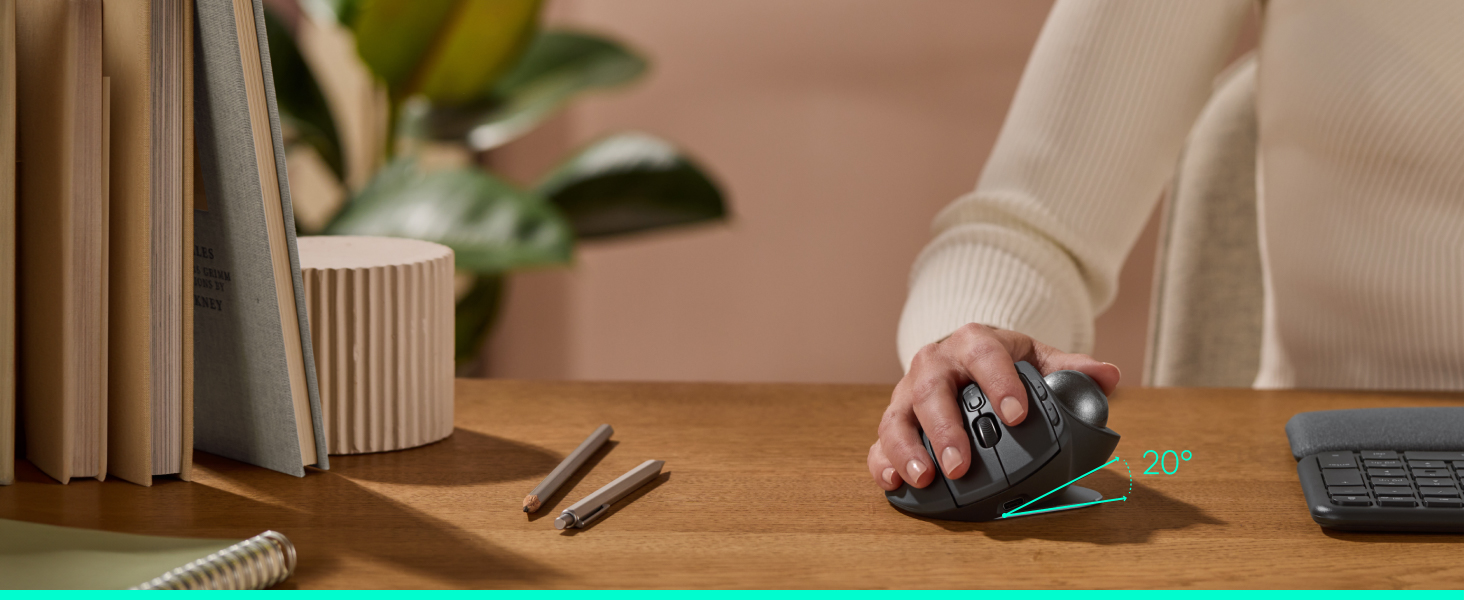
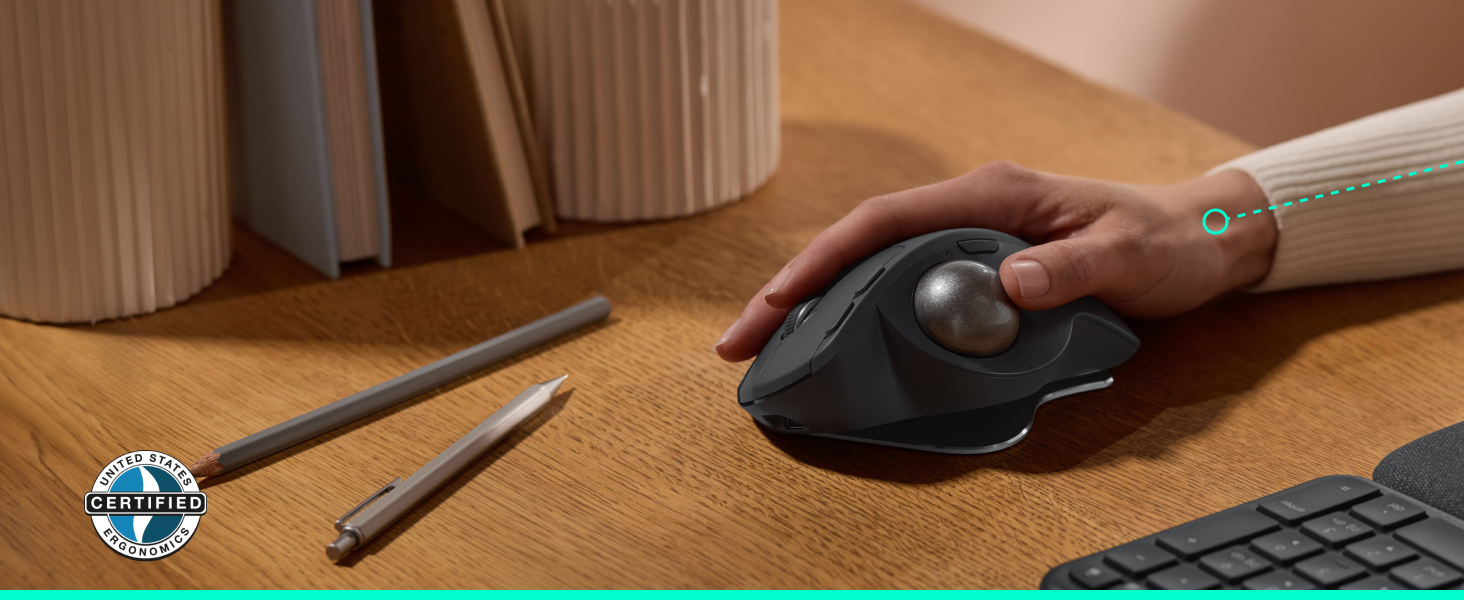
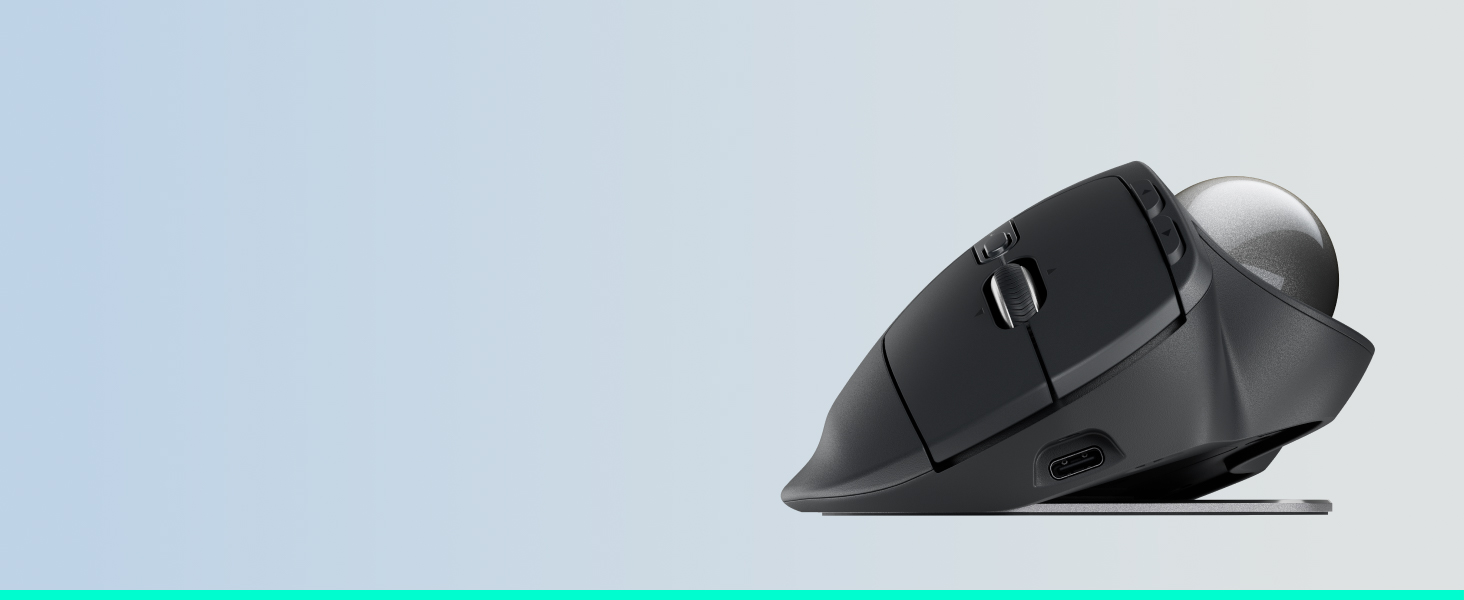
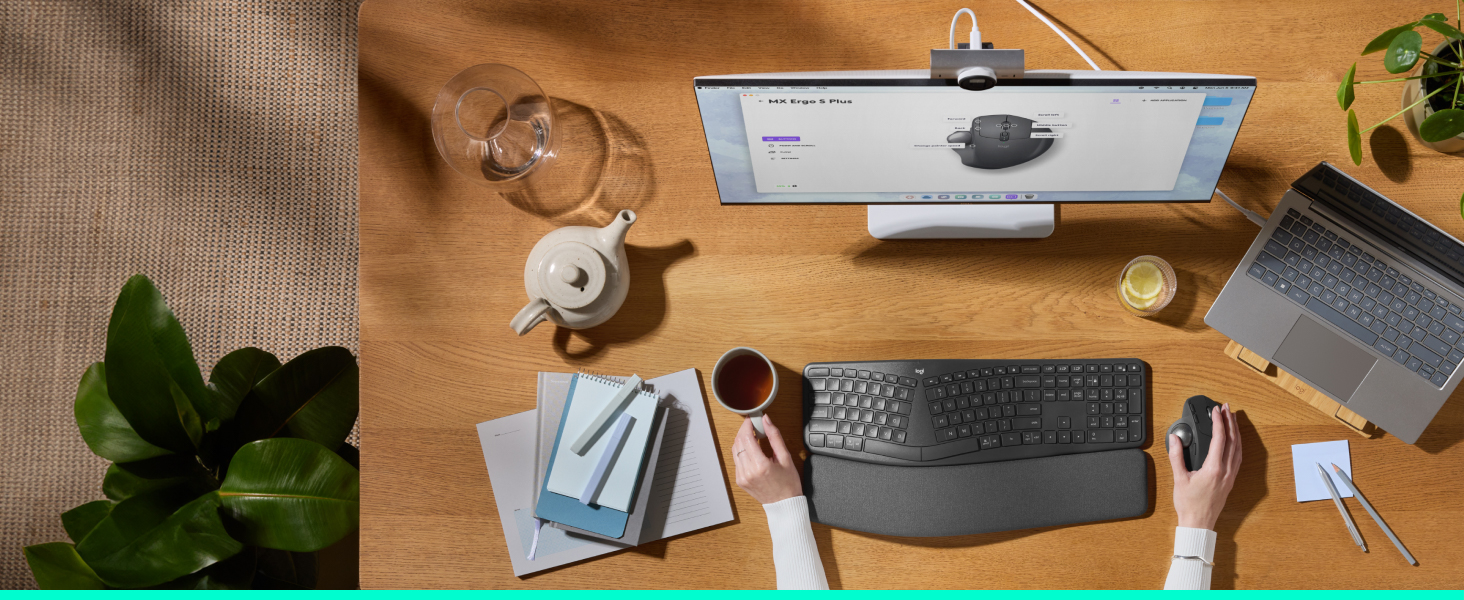
The MX Ergo S Advanced Wireless Trackball Mouse by Logitech combines ergonomic innovation with high-precision control. Featuring a 20° tilt to reduce muscle strain by 27%, 6 customizable buttons, and a DPI toggle for speed or accuracy, it’s designed for medium to large hands. Dual wireless connectivity and Easy-Switch let you effortlessly switch between two devices. With USB-C fast charging delivering 24 hours of use from a 1-minute charge and up to 120 days on a full charge, this rechargeable mouse keeps you productive longer. Made with 20% recycled plastic, it’s a sustainable choice for professionals seeking comfort and efficiency.


| Antenna Location | General Computing |
| Are Batteries Included | Yes |
| Are Batteries Required | Yes |
| Asin | B0DB2HLSS9 |
| Battery Average Life | 120 days |
| Best Sellers Rank | 4,925 in Computers & Accessories (See Top 100 in Computers & Accessories) 164 in Mice |
| Brand Name | Logitech |
| Button Quantity | 8 |
| Colour | Graphite |
| Compatible Devices | Mac, Personal Computer |
| Customer Reviews | 4.6 4.6 out of 5 stars (715) 4.6 out of 5 stars |
| Enclosure Material | Plastic |
| Global Trade Identification Number | 05099206124547 |
| Hand Orientation | Right |
| Hardware Platform | Mac, PC |
| Included Components | Advanced Wireless Trackball, Logi Bolt Receiver, QSG |
| Item Weight | 200 Grams |
| Manufacturer | Logitech |
| Manufacturer Part Number | 910-007260 |
| Minimum Required Operating System Version | ChromeOs 134, Windows 10 |
| Model Name | MX Ergo S Advanced Wireless Trackball |
| Model Number | 910-007260 |
| Mouse Maximum Sensitivity | 2048 Dots per Inch |
| Movement Detection | Trackball |
| Network Connectivity Technology | Bluetooth |
| Number Of Batteries | 1 Lithium Polymer batteries required. (included) |
| Operating System | Chrome OS, Windows 10 or later, macOS 11 or later |
| Power Source | Battery Powered |
| Product Features | Ergonomic Design, Programmable Button, Wireless, Rechargeable |
| Product Finish Type | Textured |
| Product Warranty | 2 year manufacturer |
| Range | 10 meters |
| Style Name | MX Ergo S |
| Theme | Video Game |
| Unit Count | 1.0 count |
User
Logitech quality product recommended
The 'S' version of the MX Ergo from Logitech features new switches that allow for silent clicks, addressing a common complaint about the distracting noise of earlier models. This improvement enhances the overall office environment, making it a more pleasant space for everyone.Additionally, the mouse includes USB-C charging, which enhances convenience and usability. Aside from these updates, the functionality remains largely the same as the previous non-'S' version. The trackball design is particularly beneficial for use with ultra-wide monitors, providing ease and speed in navigation.The MX Ergo offers two angles for ergonomic comfort, which can help reduce the risk of repetitive strain injuries during extended use. However, users may notice that the surface finish can become shiny over time and that the button finishes may wear down after several months of daily use.Battery life is decent, lasting around 2.5 months with regular daily use. Notably, the device connects seamlessly to a Mac via Bluetooth, allowing users to forgo the Logitech software and the included Bluetooth dongle.While the cost-to-value ratio may seem high, and some may consider it overpriced, the quality and performance meet our requirements, making it a recommended choice overall.
User
Best couch surfing Ergonomic Mouse for controlling 2 pcs seamlessly.
So I have used ProtoArc EM01 NL and its predecessor, but for me the scroll wheel died a death and no amount of cleaning resolved it. ProtoArc gave me a full refund, I then tried the Kensington SlimBlade Pro, but I found it very hard to use, so i finally settled on this Logitech, and its a game changer for me, I can now seamlessly connect to two PCs like they are a 2 screen pc using their Logi Option+ software. So far the scroller is behaving well and the battery life is fantastic. Its the best mouse if you sofa surf and want a mouse that stays still on my sofa arm and i can move the pointer with my thumb on my right hand. It is very comfortable. Worth the money!
User
Excellent Trackball Mouse, but Missing Key Features
I’ve been trying to find a good trackball mouse for a long time, as I’ve always preferred them. They feel better for the wrist, easier to control, and generally more comfortable than a regular mouse.This is a very good trackball mouse overall, but for the price, it is missing some obvious features. The biggest one is the lack of a side scroll wheel, especially as it sits within Logitech’s Master lineup. It feels strange that some of the features from the MX Master series weren’t included here.If Logitech releases a newer version with side scrolling and a few more Master-style features, I think it could easily be the best trackball mouse available. For now, it’s excellent, but not quite perfect.
User
Perfect to replace a mouse
Works perfectly with the nice feature of 2 different profiles for 2 different devices.Smooth moving, buttons soft and quiet but give positive clicks. Adjustable hand placement is nice too.Highly recommend A+
User
I just love this product.
I've wanted one off these for years, and I have to say, it's one of my best purchases, I've made , the comfort is next level, no running out of space on your track pad and just blows a normal mouse away, the amount of work you can get through is just amazing, the Sroll wheels is so easy to use ,it has many adjustments ,but I found it was superb straight out off the box, I love it love it, my only disappointment is I didn't purchase on sooner ,10 out of 10.
User
Great buttons, seamless installation, slightly scratchy ball movement
I'm able to compare this with an original MX Ergo. The buttons are definitely quieter, and use less travel, so a great win.My old Ergo was also beginning to fail - the buttons had mostly gone, and the rubber had started to degrade.With the new model, the USB-C port helps, as it was one of the few USB-micro devices left on my desk. It connected seamlessly in place of the original Ergo, so no issues in set up.The ball movement feels a bit scratchy/less smooth than the original Ergo, not ideal there.The palm-rest surface is smoother, almost to the point of sliding off.It's much lighter, definitely a positive.In terms of value for money, the S is cheaper by some way than the original.
User
Quality trackball mouse
I've used many another trackball mouse since started getting sore hands, this one is in a league of it's own. Nice and heavy and sturdy. Smooth tracking, nice hand position, really like the ability to tilt it more. Connection was immediate, no effort. Handy that you can have it linked to 2 computers and switch between the 2. Costly maybe, but for me it was well worth the money.
User
A very good tracker ball mouse
I'm very impressed with this tracker ball mouse. Fits very nicely into the hand and has a magnetic base that can be angled into two positions to suit your needs. It can be recharged via USB-C and the Logitech app lets you know when it is time to recharge. It does stop you working when it's being recharged. It's not cheap but I know that it will last. My previous tracker ball gave me at least 10 years of good service.
User
Muy contento.
He estado usándolo durante un par de meses, más o menos, y puedo decir que estoy muy contento. Al principio, dudaba si sería un error del que me arrepentiría, porque pensaba que se me cansaría el pulgar; sin embargo, no ha sido así.Esta versión es genial, porque permite dos ángulos de posición. Yo uso siempre el ratón en el ángulo más inclinado porque es como más se ajusta a la posición natural del brazo y es uno de los puntos que hacen superior a esta versión con respecto a la versión barata.Por otro lado, otro de los puntos son los botones configurables: tienes el click derecho e izquierdo, además de los clicks central, derecho e izquierdo de la rueda, más los dos botoncitos a la izquierda y el que está junto a la bola, que también es configurable. En total son 8 botones para configurar libremente. El único que no se puede cambiar es el de detrás de la rueda, que solo sirve para cambiar el ratón entre dispositivos. Mención especial al programa de configuración de Logi Options +, que tiene un montón de posibilidades de cara a crear atajos usando el ratón; me encantó eso.En todo este tiempo aún no he tenido que cargar la batería. Dura mucho. Pero, hay que decir que la bola debe limpiarse con cierta constancia; yo diría que una vez a la semana o cada dos semanas. Si no se hace, la bola empieza a desplazarse con un poquito más de dificultad. No supone ningún problema limpiarla, se hace en medio minuto.Los clicks son silenciosos y la bola no se oye. El ratón es algo pesado, pero esto es completamente irrelevante, puesto que no necesitas moverlo para nada. Si tienes que ajustar la posición en la mesa, no cuesta desplazarlo un poquito a un lado o a otro.Lo compré porque estaba cansado de querer tener precisión con mis otros ratones y frustrarme mucho intentando cuadrar el puntero justo en el lugar que quería. Para trabajos de diseño que requieren de mucha precisión con el puntero, algunos ratones suponen un auténtico suplicio. Por eso, pensé que con el track ball podría mejorar eso. La realidad, es que sí que se nota mejoría, aunque no toda la que me hubiera gustado. Aún así, es un cambio a mejor, tengo más precisión y mi muñeca no sufre.Lo recomiendo para quien tenga mi problema y para quien esté dispuesto a desembolsar una buena cantidad de dinero por un ratón. También para quien sea amante de los atajos, que facilitan la vida un montón.
User
Great ergonomic mouse
Amazing mouse, very comfortable and the switching mechanic is perfect. A bit heavy maybe.9.5/10
User
Çok rahat
tam 10 sene önce bir önceki jenerasyonunu almıştım ve yenisini alana kadar her gün kullandım Paketleme güzel, hızlı kargo ve ürün bileğinize çok rahatlık veriyor.
User
Ein Gewinn für den Alltag am PC
Ich nutze die Logitech MX Ergo S Advanced kabellose Trackball-Maus nun seit einiger Zeit intensiv im Alltag – sowohl im Homeoffice als auch für private Anwendungen – und bin rundum begeistert.Schon beim ersten Kontakt fällt die hochwertige Verarbeitung auf. Die Maus wirkt äußerst robust und gleichzeitig angenehm griffig. Das ergonomische Design ist klar durchdacht: Die Hand liegt entspannt auf, und durch den festen Stand muss die Maus selbst nicht bewegt werden, was gerade bei längeren Arbeitssessions eine enorme Entlastung für Handgelenk und Unterarm bedeutet. Besonders hervorzuheben ist die verstellbare Neigung, mit der sich die Maus individuell anpassen lässt – ein echtes Plus für den Komfort.Die Steuerung über den Trackball funktioniert präzise und überraschend intuitiv. Nach einer kurzen Eingewöhnungsphase möchte man das Konzept kaum noch missen. Der Cursor lässt sich feinfühlig und exakt bewegen, egal ob bei alltäglichen Office-Aufgaben oder bei detaillierterer Arbeit. Auch das Scrollrad arbeitet angenehm gleichmäßig und wertig.Ein weiterer großer Vorteil ist die kabellose Nutzung. Die Verbindung ist stabil und zuverlässig, egal ob über Bluetooth oder den mitgelieferten Empfänger. Besonders praktisch: Die Maus lässt sich mit mehreren Geräten koppeln und per Knopfdruck wechseln – ideal für alle, die zwischen Laptop und Desktop arbeiten.Die Akkulaufzeit ist ebenfalls überzeugend. Selbst bei regelmäßiger Nutzung hält der Akku lange durch, und das Aufladen ist unkompliziert. Insgesamt wirkt das Gerät sehr effizient und alltagstauglich.Im täglichen Einsatz zeigt sich, wie durchdacht die zusätzlichen Tasten und Anpassungsmöglichkeiten sind. Über die Software lassen sich Funktionen individuell belegen, was die Produktivität spürbar steigern kann. Gerade bei wiederkehrenden Aufgaben ist das ein echter Gewinn.Ein weiterer Pluspunkt ist die Platzersparnis: Da die Maus nicht über den Tisch bewegt wird, eignet sie sich hervorragend für kleinere Arbeitsflächen oder unterwegs. Gleichzeitig bleibt die Bedienung jederzeit komfortabel.Fazit: Die Logitech MX Ergo S Advanced ist eine hervorragend verarbeitete, ergonomische und äußerst präzise Trackball-Maus, die sich besonders für längeres Arbeiten eignet. Sie verbindet Komfort, Funktionalität und Flexibilität auf hohem Niveau und ist damit eine klare Empfehlung für alle, die Wert auf ergonomisches Arbeiten und effiziente Steuerung legen.
User
Ottimo Ergonomico Mouse
Acquistato per sfida, avendo solo apparecchi logitech, sulle mie varie console, purtroppo il dongle bolt, ha solo due connessioni, e non e' retrocompatibile, con unifying receiver, mi ero illuso che lo fosse, ma purtroppo no, lo uso in contemporanea ad un MX Master 3, su un mac-pro, ci vuole un po di tempo per adattarsi, viene d' istinto di muoverlo, quando invece non si dovrebbe, la rotellina a freddo e' un po lenta, poi si scalda e viaggia bene, ho un 24" di schermo, e all' inizio fai un po fatica a cercare il puntatore, ma una volta abituati, ed adattati funziona a meraviglia, pero' pero' per certe cose l' mx-3 rimane imbattibile, su foto ad esempio, o video, , probabilmente per un uso amministarativo forse funziona meglio, costruito comunque in maniera eccellente, vale certamente il prezzo pagvato, gia' con l MX non asvevo particolari problemi alla mano/polso, di certo con questo avro' risultati ancora migliori.
Trustpilot
3 days ago
2 weeks ago