We remain fully operational. Our teams are working around the clock to ensure your deliveries continue safely.

DOWNLOAD THE APP


Copyright © 2025 Desertcart Holdings Limited
DOWNLOAD THE APP





Buy anything from 5,000+ international stores. One checkout price. No surprise fees. Join 2M+ shoppers on Desertcart.
Desertcart purchases this item on your behalf and handles shipping, customs, and support to Austria.
🚀 Elevate your connection game with SABRENT’s 5G Ethernet adapter—speed, style, and reliability in your pocket!
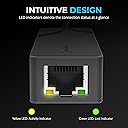
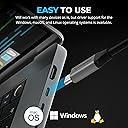
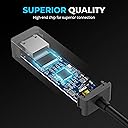
The SABRENT USB-C to 5G Ethernet Adapter (NT-C5GA) delivers true 5Gbps wired network speeds via USB 3.1 Gen 1+ ports, featuring smart auto-negotiation for broad network compatibility. Its rugged aluminum body ensures durability and heat management, while plug-and-play support on Windows and macOS offers hassle-free setup. Ideal for professionals seeking ultra-fast, reliable Ethernet connectivity on modern USB-C devices.


| ASIN | B0DQ9QGQYR |
| Best Sellers Rank | #43 in USB Computer Network Adapters |
| Brand | SABRENT |
| Built-In Media | User manual |
| Color | Black |
| Compatible Devices | Desktop, Game Console, Laptop, Smart TV, Tablet |
| Compatible Operating System Family | Windows |
| Customer Reviews | 4.1 4.1 out of 5 stars (831) |
| Data Link Protocol | Ethernet, Gigabit Ethernet |
| Data Transfer Rate | 5 Gigabits Per Second |
| Hardware Interface | USB Type C |
| Item Dimensions L x W x H | 2.76"L x 0.98"W x 0.67"H |
| Item Weight | 1.52 Ounces |
| Manufacturer | SABRENT |
| Mfr Part Number | NT-C5GA |
| Minimum Required Operating System Version | Mac OS 10.13 High Sierra, Windows 10 |
| Model Number | NT-C5GA |
| UPC | 840025273870 |
| Warranty Description | 1 year limited. 2 years with manufacturer registration. |
D**.
Awesome adapter for a great price!
Amazing little adapter using the “newer” AQC113 chipset from Marvell. Does take a bit of driver tinkering to get rock steady in Windows 11 but if you’re buying this you’ll likely know what to expect. For a cheat sheet follow this instructions: First, download drivers direct from Marvell. Support → Public Driver Downloads → AQC113 Next, set these in BIOS (if available): These settings prevent the motherboard from "re-mapping" the PCIe bus incorrectly when the system wakes up. 1. PCI Express Native Power Management: Disabled. This prevents the chipset from throttling the link to save milliwatts. 2. USB4/Thunderbolt Fully Enabled: Ensure the controller is active and not in a "Legacy" or "Compatibility" mode. Then once in Windows: Windows is notoriously aggressive with USB power saving. These tweaks keep the adapter from being "cut off" during idle or sleep. 1. Device Manager: Right-click the Sabrent adapter (Marvell 10G Ethernet Adapter) > Power Management. Uncheck "Allow the computer to turn off this device to save power." 2A. USB Selective Suspend: in the start menu search “Power Plan” > Change advanced power settings > USB settings. Set to Disabled. 2B. PCI Express Link State: Set to Off. 3. Fast Startup: Disable this in Control Panel > Power Options. It prevents driver "hangs" caused by stale session data. Finally… Tune the drivers: In Device Manager: Right-click the Sabrent adapter → Advanced By default, the Marvell driver throttles uploads to save CPU. To hit full ISP speeds up, you must manually "uncork" the adapter. Change the following: 1. Recv Segment Coalescing (RSC): Set both IPv4 and IPv6 to Disabled. 2. Interrupt Moderation: Disabled. Removes the "batching" delay for lower latency. 3. Jumbo Packet: 9014 Bytes. (Match this on your switch/router settings). 4. Flow Control: Rx & Tx Enabled. 5. Energy Efficient Ethernet (EEE): Disabled. Prevents the link from dropping to 1G during low activity. Do these things and the adapter will respond to sleep changes faster, connect faster and you’ll have symmetrical speeds!! Best of luck.
R**I
Works without issue on Apple Mac, M2 Max
The port on the Apple M2 Max was disconnecting and finally failed. I’ll wait for the new M5 but needed a solution in the meantime. I plugged this in and it works, easy, perfect.
E**S
Important details for Linux users - get the latest kernel modules!
Works as expected out of the box on Windows 11. However, if you're on Linux or BSD you'll need to make sure that you're running a somewhat recent version of the r8152 driver. This device uses an r8157 chipset which is supported properly only in newer versions of the driver. I tried to find release notes for the driver to identify when support was actually added but those don't seem to exist anywhere. Even the upcoming Ubuntu release beta - 25.04 Plucky Puffin - only includes version 1.12.13 of the r8152 kernel module. This is fine for other adapters in the family, including 2.5G adapters, but won't recognize or properly initialize the R8157 chip. If the newer driver versions aren't available, a fallback driver will be used that results in very flaky behavior. Connections are negotiated at 705 mb/s, for instance, and actual throughput is inconsistent, fluctiating dramatically over time. Thankfully this can be fixed by finding an updated package for the r8152 kernel module th at works with your distro and installing it. For ubuntu I used the "awesometic/realtek-r8152-dkms" package on github via the PPM method they recommend in the readme. With the latest driver version installed - 2.19.2 when I'm writing this review - the device set itself up properly, negotiated a 5G-BASE-T conneciton, and worked as expected.
J**A
Failed within 24 hours
Last night it was working great, full 5Gbs speed in both directions. It was working so well I was going to get up in the morning and write. Rave review. So many of these products are just rebadged mainland junk, so it was great to have something that worked. This morning my computer literally would not boot if this thing was connected. My switch didn’t light up so it wasn’t even going so far as to bring up the hardware. Once I did get it up and running—without the busted adapter plugged in—as soon as I plugged it back in my mouse and keyboard froze. This device didn’t just fail, it failed so hard that it broke USB on my entire computer if it was plugged in. When it was working I was very pleased but the fact that a device can go so far as to prevent enumeration on an entire set of USB ports means the hardware is defective. And this was *FOUR HOURS LATER*. Yes, four. I went to bed late last night, slept like crap, and when I got back up my computer wouldn’t start. All because of this network plug. I know how to troubleshoot this stuff. Really. I could, in theory, write the driver myself. I know how USB works. I know my hardware and the kernel running on it. That is to say, I know when something isn’t just broken but super broken. It’s disappointing. The Sabrent name used to stand for quality. I have several pieces of Sabrent hardware and I’ve always praised them. Well, not any more. I don’t have the time to monkey around with some support goon on the phone, and it’s past the Amazon return window so this thing that cost me over $30 goes into the trash.
J**A
Blazing Fast Speeds and Solid Build!
This USB4 to 10GbE adapter delivers amazing performance — I’m getting full 10-gig speeds with no drops or interruptions. Setup was instant and driver-free, and it works perfectly with my laptop and dock. The build quality feels premium and sturdy. It does get a bit warm during use, but that seems normal for a high-speed adapter and hasn’t caused any issues. Overall, an excellent choice for anyone needing reliable, ultra-fast wired connectivity!
H**F
Fast, but hot
This does work through USB c port. I get 8gbs up and down. The box does get fairly warm.
C**O
Ottimo adattatore dii rete compatibile con le nuove tecnologie. L’ho provato su Windows, su Mac e su iPad. Il dispositivo è pienamente compatibile e non necessita di driver particolari. L’ho usato per testare la mia nuova connessione a 2.5 Gbps e ho ottenuto valori di 1800 - 2100 in base ai momenti, ma qui ci sarebbe da aprire un filone. L’adattatore i. Definitiva il suo lavoro lo fa. Ed è ottimo per rendere compatibili dispositivi che hanno porte LAN gigabit ed è uno strumento efficacie per la diffusione e di questi nuovi standard Ethernet.
B**2
Nareszcie karta sieciowa która działa. W opisie brak jednej rzeczy ,musi być USB c 3.2 gen 2 aby było dostępne pełne łącze 5 GB , na USB c 3.1 to prędkości max 2,5 GB ,natomiast na 3.0 co jest głównie normą w laptopach to poniżej 2 GB/s. Karta się grzeje przy ciągłej pracy,ale działa,nie wyłącza się.
L**S
Lo vengo utilizando hace meses en mi proyecto de firewall virtual y no he tenido nigngún problema, llegando perfectamente al gb/s que ofrece mi ISP
K**N
This network adapter works straight out of the box with plug and play support on my Windows 11 system, which made setup quick and hassle free. Performance has been excellent. When transferring files between two machines from SSD to SSD, I was able to hit speeds close to the full 10Gb limit, which is exactly what you’d want from a device like this. The build quality is also impressive. It has a solid weight to it and feels well made, with good cooling that helps it perform reliably under load. It’s definitely a step above most standard NICs in terms of both speed and construction. Although it is on the pricier side, the performance and quality make it feel worth the extra cost.
K**R
Branché, fonctionne directement, vitesse impeccable !
Trustpilot
3 weeks ago
3 weeks ago