Buy anything from 5,000+ international stores. One checkout price. No surprise fees. Join 2M+ shoppers on Desertcart.
Desertcart purchases this item on your behalf and handles shipping, customs, and support to Austria.
๐ Elevate your drive with the ultimate Mercedes-Benz touchscreen upgrade!
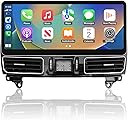
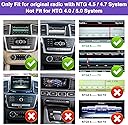
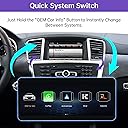
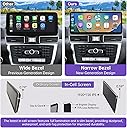
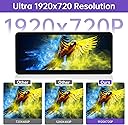
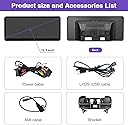
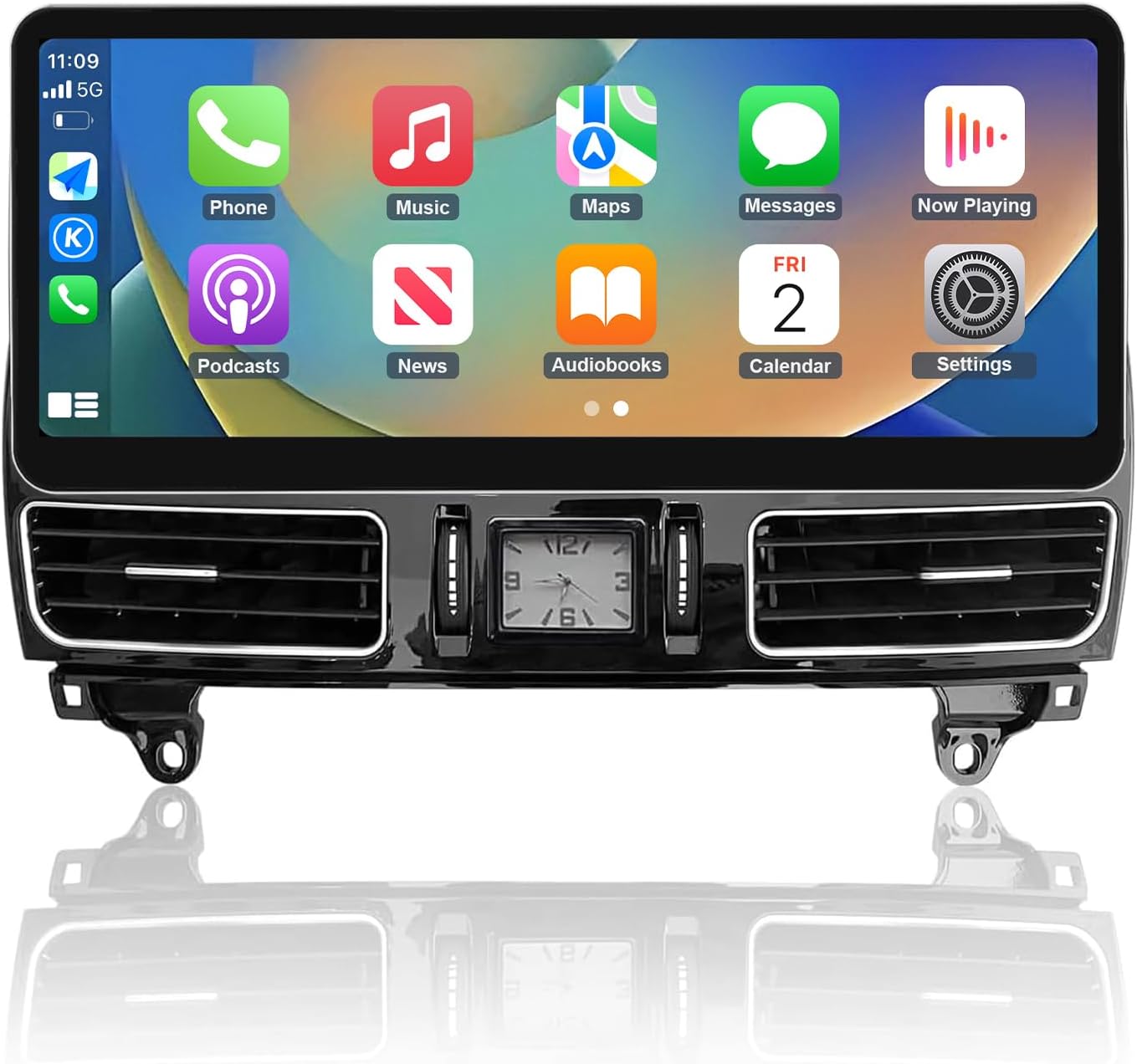
The NINETOM 2026 is a premium 12.3-inch ultra-narrow bezel touchscreen designed specifically for Mercedes-Benz GLE GLS (2016โ2018) NTG 5.0/5.1/5.2 systems. Featuring a high-definition 1920ร720 IPS display with anti-reflection coating, it supports both wired and wireless CarPlay and Android Auto for seamless smartphone integration. Running on a stable Linux OS, it allows one-click switching between the upgraded interface and the original system, preserving all factory functions and warranty. This touchscreen upgrade combines cutting-edge technology with effortless installation, delivering a flawless, glare-free, and connected driving experience.


| ASIN | B0FMXY1GK7 |
| Additional Features | Waterproof |
| Are Batteries Included | No |
| Best Sellers Rank | #164,051 in Electronics ( See Top 100 in Electronics ) #3,946 in Vehicle GPS Units & Equipment #4,456 in Car In-Dash Navigation GPS Units |
| Brand | ninetom |
| Built-In Media | Screen |
| Compatible with Vehicle Type | SUV |
| Connectivity Technology | USB |
| Control Method | Touch |
| Customer Reviews | 3.9 out of 5 stars 15 Reviews |
| Display Type | LED |
| Human-Interface Input | Touchscreen |
| Item Weight | 6 Pounds |
| Manufacturer | ninetom |
| Map Types | North America |
| Model Name | 2025 |
| Model Number | Touchscreen |
| Operating System | Linux |
| Resolution | 1920*720 |
| Screen Size | 12.3 Inches |
| Special Feature | Waterproof |
| Supported Satellite Navigation System | GPS |
| Touch Screen Type | Capacitive |
| Vehicle Service Type | SUV |
| Warranty Description | 1 |
R**H
Looks Great, Not Terribly Hard to Install
I donโt write a lot of Amazon reviews, but I thought Iโd share my experience with this. I installed this on my 2017 Mercedes GLE43 in a little less than 2 hours (I went cautiously and got interrupted a few times). Overall it was fairly easy, but I did watch at least a couple hours of install videos to familiarize myself with what I was going to do. The manufacturerโs video was somewhat helpful (I found no video that matches this unit exactly), but the one I found to be most helpful was โHow to install 12.3" Android screen for Mercedes ML and GLโ by 4x4 Shop Canada. Watch enough videos and eventually itโll look easy enough. My package did come with a trim removal kit, which was nice - but no torx bit, I think itโs a T20 for all the OEM screws. Fortunately I have a bunch of those. What I do need to get is a magnetic screwdriver to hold the screws as Iโm securing the screen to the mounting bracket. Amazon overnight for the win. I wasnโt initially sure how the screen mounted to the new A/C vent unit (Iโm calling it the unit), so I pieced it together as a dry run. The metal bracket attaches to the car, then the unit goes in with the two metal clips/screws (images 2 and 3) once the connections are all made. Image 4 shows how the top of the unit attaches to the metal bracket once itโs mounted. Once I was confident I had all the right pieces I was ready to get it done. Image 5 shows how the fiber optic cable is removed - it moves from the OEM wiring harness to the one supplied with this system. Pretty easy - the โ4x4 shop Canadaโ video covers this very well. Image 6 shows how the old unit was attached to the carโs wiring. It was very difficult to remove, and the new unit does not need it so itโs just hanging loose now. Funny how the dumbest thing can hold you up for 10-15 minutes because you donโt want to damage it. Images 7 and 8 show how the new wiring comes in through the bracket. Do this before you mount the new unit so you have more room to maneuver. Image 9 shows the new unit mounted with the wiring connectors sticking out. I tucked in all the extra wire and attached the screen. IMPORTANT NOTE - When I attached the screen I did a quick test by turning on the radioโs power button. I got no reaction from the screen until I actually started the carโs engine. Then it lit up like expected. I did have to follow the manualโs instructions on how to get the audio working, but that was pretty straightforward. Image 10 - Success. Image 11 - the back of the screen where the mounting screws go. Tomorrow's problem.
M**T
Screen Overheats! Beware!
Iโm sad I have to give this a 1 star because I was so excited about the upgrade. First off, install I pretty straight forward, but the video link and manual they give you suck. Iโm not a car expert, but Iโve done enough to understand what goes were out figure it out after a while. Now, hereโs the issue. Even installed properly it works intermittently. Thatโs a bit of an issue when you rely on it as your mode of directions and back up camera. The camera only shows back up and doesnโt stay on when you put it into drive like the cameras do with the native COMAND user interface. Finally, the screen overheats badly. It lags, leaves stripes all over the screen, and then eventually turns off completely. I had to uninstall and return this item.
I**R
Good product well worth the money
Very good fits great looks great work great
E**N
Nice CarPlay ๐๐ป
Top ! In a first time, I reversed the optical connectivity link, sound donโt work. I asked support for help and they helped me ๐๐ป All itโs fine now. Nice CarPlay, nice screen size, good quality and functionalities. Thks again
L**P
Works Great
I bought other brand of screens like this and they could get the right skin resolution. This brand worked great! 16 GLE 350 with system 5.2 - please BE AWARE - when you think your done, your not! You will need to follow instructions to the end otherwise the BT sound will not work when your in apple car play / android auto. Thank you for providing a product that works! Highly recommend from this seller
W**M
Doesn't work at all and no reply from the seller.
No No NO!!!! Watched their instruction as well as the video and followed exactly what they told to do. But, whenever I start the car, the device is rebooting 6~10 times. Just keep restarting. My iPhone is connected, it shows but doesn't work at all. I cannot control anything at all. Just screen, I cannot control connected CarPlay at all. So just changed to the car info (the original screen from MB), my car always locks automatically once I start driving, but I unlocked, but the screen still says. locked. Even if I unlocked the seatbelt, it says it is locked. So I sent messages and question but no answer or reply at all....
M**A
Great product
Works fantastic! Screen is large and all apps work great including music car play! My husband installed it and it took some time used online videos fir installing!
G**E
Very simple
My mom loves her upgraded touchscreen. It only took me 35mins to install was simple. they could upgrade the video for the set up I have but otherwise everything works great looks great and my mom is happy so thatโs a extra plus
Trustpilot
1 week ago
2 weeks ago