


Desertcart purchases this item on your behalf and handles shipping, customs, and support to Austria.
🚀 Elevate your maker game with speed, precision, and ease!
The Creality Ender 3 V3 SE is a beginner-friendly FDM 3D printer boasting a high-speed 250mm/s print capability, CR Touch auto-leveling, and a reliable Sprite Direct Extruder. Its dual Z & Y-axis design ensures stable, accurate prints, while a silent 32-bit mainboard keeps operation smooth and quiet. With a compact 8.66 x 8.66 x 9.84 inch build volume and quick 20-minute setup, it’s the perfect gateway for professionals and hobbyists eager to dive into 3D printing with confidence.


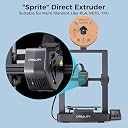


| Brand | Comgrow |
| Colour | black / black |
| Compatible devices | Personal Computer |
| Item weight | 15.43 Pounds |
| Material | Alloy Steel |
| Product dimensions | 36D x 43W x 52H centimetres |
L**Y
Great Way Into the World of 3D Printing
I purchased this as part of a project to build a device for cleaning mechanical watch parts which is in the time of writing this view is still work in progress. The person who supplied the license to build the machine advised that most people who decide to build the project will normally buy a 3D printer rather than pay 3rd party company who could charge up to and over £1000 . After doing so much research I'm proud to say I'm really pleased with the Ender 3 V3 SE, please note this is an entry level 3D printer and it doesn't offer as much fancy features as some others do within the kinda same price or expensive bracket but what it does do it does really, really well. There is a learning curve and you need to have a lot of patience because it will frustrate the pants off you but Creality has a fantastic community and once you get the hang of things you'll be up all night (yes depending on what you are printing things can take hours). Please note if you are just starting out try to get as much information as possible something which is so easy these days with the internet and don't be afraid to get in touch with Creality and ask as many questions as possible. Depending on what you would like to print if it's decorative and/or functional there's various types of material and some are suited more than others and this printer can only print a couple of them. All-in-All would I recommend this... YES 100% If you like things technical and don't mind a learning curve with the printer plus the software needed to process 3D models before they can be converted and sent to a 3D printer, also there's so many well known websites and forums your you to download other peoples designs then this is a great way to start 3D printing. BE WARNED ONCE STARTED YOU'LL BE DRAWN INTO THE AMAZING WORLD OF 3D PRINTING!
M**R
Good starter
Knew very little about 3D printing, and seems cheap gear like this is for hobbyists like me to learn and produce parts in my case. The feed mechanism was faulty, the online Customer Service was very good and helped isolate the problem and sent the parts to me, free. PlA, the easiest and only filament I have used is brittle so I increased thickness of small parts, all part of the learning. You need software to design parts, I use FreeCAD which is OpneSource and free, and find design the hardest part. I use the provided Creality Print to turn the design into code the printer reads, it also tailors the printer's parameters. You also need a microSD card to update the display before updating the firmware on the provided SD card. Instructions and sparse so head for Youtube where users have posted, and there is a Creality channel.
T**M
Incredible for the money.
Honestly for the price of these, they're as good as you'll get anywhere. I spent years struggling with a very old CTC printer, and eventually decided it was time for an upgrade. This printer has blown me away with both how accurate it can print, and how quickly it can do so. For a quick practical shim or bracket, it can do it quicker than just about any other, for higher detail models, it produces very accurate prints at slower speeds. Have since bought one for a friend, and recommended it to a few others.
H**W
Z-offset and auto level do not work
Lost count of how many of these I’ve had. They are rubbish. The z-offset/auto bed levelling does not work correctly. It goes thru the motions but in the end the only way to get these things to print is to manually set the bed level. Given the main selling point of these printers is “auto levelling” I don’t think that’s acceptable. This is potentially a great printer, but if you buy one you have to accept that you are BETA testing it for them. If yours does work out of the box be prepared for it to fail within a month. Creality support is awful and takes about a week between e-mails. Avoid and spend a little extra on a Prusa or Bambu.
M**Y
Failed after 2 months
Printer was working fine up until today. After attempting to run the bed levelling process as i do before every print, I heard a horrible grinding noise as the CR Touch Sensor stopped working, it wouldn't let me level it and almost caused damage to my print bed. Would advise avoiding Creality and going for a different brand of printer as the device only lasting for 2 months is ridiculous. Amazon "Customer Service" was also shockingly poor. Definitely getting my next printer from a more reputable source.
A**R
Perfect!
Amazing machine for the price.
M**X
Super soddisfatto, ottimo acquisto
Comprata come regalo per mio figlio, alla fine è stato un regalo anche per me. È una stampante entry level, ma stampa veramente bene con una qualitá che mi ha sbalordito. Non posso fare altro che consigliarla. Ho comprato poi anche sensore per filamento, indispensabile se non vuoi buttare via la stampa se a metá termini il filamento.
S**H
Future technology is in my hands.
Love the printer.
M**G
Excellent introductory printer for The Tinkerer.
I am very happy with my Ender 3 V3 SE. It is my first 3D printer, having some experience with them in the past. This printer performed to an excellent standard and required very little setup out of the box. Unfortunately, the SE does not talk to the Creality Print software, and does not have WiFi or Ethernet network connectivity. Basic functionality is through physically moving an SD-card from your computer to the SD slot on the printer. It has a USB-C outlet that can be connected with a data cable to a computer and communicated serially with COM ports and the CH340 communications driver, it’s not complicated, but it’s not a straightforward process. After about 50 prints or so, the bearings on the Y axis optical rails came loose and resulted in a bed wobble that could register on the Richter scale. I upgraded the Y axis and X axis to linear guide rails, I do believe these upgrades are wholly necessary if you wish to print at the printers upper accelerations for any extended period of use. Changing filaments is a breeze with the direct drive extruder, I have printed in PLA, TPU, and PETG all with very good quality, adjusting settings along the way. If you enjoy tinkering, and learning how FDM printers work, how slicers and gcode work, and want a less expensive start to the hobby I would highly recommend the SE printer. I have also heard good things about its sister the KE.
S**A
Econômica!
Produto muito bom!
H**N
Très bonne petite imprimante
Entièrement satisfait !
Trustpilot
2 weeks ago
4 days ago