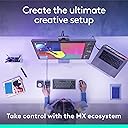
🎨 Command your creativity like a pro — the MX Creative Console is your ultimate workflow sidekick!
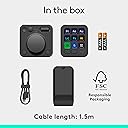
The Logitech MX Creative Console is a premium programmable keypad featuring 9 customizable LCD keys, a tactile low-friction control dial, and seamless native integration with Adobe Creative Cloud apps, Spotify, and Zoom. Designed to accelerate creative workflows, it supports up to 15 keypad pages, offers Bluetooth and USB-C connectivity, and includes a 3-month Adobe Creative Cloud All Apps membership valued at $179. With up to 18 months of battery life and a sleek graphite design made with recycled plastics, it’s the perfect tool for professionals seeking precision and efficiency.


| ASIN | B0D5FRQXWZ |
| Batteries | 2 AAA batteries required. (included) |
| Customer reviews | 4.1 4.1 out of 5 stars (333) |
| Guaranteed software updates until | unknown |
| Item model number | 920-012660 |
| Language | English |
| Product Dimensions | 27.41 x 13.41 x 6.91 cm; 557.92 g |
| Release date | 14 Oct. 2024 |
B**K
Kaliteli, kullanışlı, havalı oyuncak!
Çok başarılı ürün, günün büyük kısmını PC başına geçirenler için zaman kazandırıcı verimlilik arttırıcı bir oyuncak. Özellikle tuşlardaki lcd ekranlar masada çok dikkat çekici durmasını sağlıyor.
P**S
Becomes a natural part of the process.
Works great, easy to customize. Makes design and photo editing life so much easier. Highly recommend.
C**N
Highly Customizable, works with most software.
I am not one to write many reviews, but I have seen many video's and reviews that include misinformation. Let me start out by saying both devices (the wheel and button) are highly customizable and with a little work you will be able to get it to suit your needs. One question I see all the time is "Does it work with my software?" The simple answer is "YES" if your software has keyboard shortcuts you can configure both devices to control it. I believe the confusion comes from the easy setup for Adobe products. It is true they work out of the box, but any other program can work also. You just need to manually program each button and dial. For example; I had it working for the free desktop Capcut video editor and couldn't be happier. Another question people have is "what operating system does it work with?" It works with both Mac and Windows.
B**D
A great start
I've been looking and waiting for this product for 15 years. I've looked at dozens of programmable keypads over the years and found them wanting. My use case for it is mostly Figma and VS Code. The MX Creative Console was primarily designed with Adobe products in mind... but I abandoned Adobe years ago when they decided they preferred to drain my bank account monthly instead of every 3 or 4 years when I needed or wanted to upgrade. But this product works great for my use case. The only downside for my specific uses is that I have to program each button. Adobe products have preprogrammed starters. But I'm sure VS Code and Figma will be added by Logitech in the future. But that said - once programmed, I love that each button has an icon and words displayed that tell me what they are programmed to do. I love also that you can color code them. And I particularly love that as soon as I start to work in any of my applications the buttons automatically switch over to the profile for that particular... or the desktop default. I also like that there are lots of application specific icons to choose from for each button. And that each application can have several pages. There's still a couple of glitches which I expect Logitech to fix... like today, changing the text size on the buttons doesn't work . The ability to do it is built in, but there's a bug in software. For Logitech, if you are reading this - I don't like that the button console has to be hard wired directly into the USB-c port of my computer. The Creative Console did not work using a USB-c port on my docking station ... nor did it work using a USB-a port with a USB-a to USB-c cable. Actually, I would prefer no wires at all. Also they way you size and center icons and text on the buttons when programming them can be improved. That said - this product is a home run for me.
J**I
Worth it!
Absolutely amazing! Made my workflow atleast 3 times faster.
Trustpilot
2 days ago
3 weeks ago