Desertcart purchases this item on your behalf and handles shipping, customs, and support to Austria.
🎧 Elevate your audio game with next-gen Bluetooth 6.0 clarity and speed!
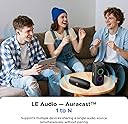
The UGREEN Bluetooth 6.0 Adapter is a compact USB-C dongle designed for PCs, laptops, and gaming consoles, delivering high-resolution 24bit/96kHz wireless audio with ultra-low latency under 40ms. Supporting multiple Bluetooth modes including Classic BR, LE Audio Unicast, and Broadcast, it enables seamless multi-device audio sharing and codec switching (aptX, aptX HD, Adaptive). Plug-and-play with no driver installation required, it’s the perfect upgrade for professionals and gamers seeking stable, premium sound quality.


| ASIN | B0FYFJHYJ2 |
| Best Sellers Rank | 15,571 in Computers & Accessories ( See Top 100 in Computers & Accessories ) 69 in Bluetooth Network Adapters |
| Brand | UGREEN |
| Brand Name | UGREEN |
| Compatible Devices | Gaming Console, Headphone, Laptop, PC |
| Compatible devices | Gaming Console, Headphone, Laptop, PC |
| Connector Type | USB Type C |
| Connector type | USB Type C |
| Country of Origin | China |
| Customer Reviews | 4.0 out of 5 stars 305 Reviews |
| Manufacturer | Ugreen Group Limited |
| Manufacturer Part Number | 65708 |
| Model Number | 65708 |
| Number of Items | 1 |
| Number of Ports | 1 |
| Number of ports | 1 |
| Power Plug Type | No Plug |
| Power plug type | No Plug |
| Smart Home Compatibility | Not Smart Home Compatible |
| Specific Uses For Product | PC, Video Game Console |
| Specific uses for product | PC, Video Game Console |
| Unit Count | 1.0 count |
J**N
Works on iPad to give lossless Bluetooth.
Works a treat. Lossless Bluetooth codecs supported but make sure your headphones or earbuds also support lossless. The quality difference is discernable with careful listening.
R**Y
UGREEN Bluetooth 6.0 Adapter
I grabbed this to use Bluetooth headphones with my work laptop and it's been a great little device. UGREEN products rarely disappoint! Setup was easy. I plugged it in, put my headphones into pairing mode and they connected within seconds. Since then it's worked reliably without needing to be re-paired or fiddled with. The audio quality is excellent for calls, videos and music, and the connection remains stable throughout the day. I was surprised by how low the latency is, especially when watching training videos or joining Teams meetings. My older headphones would often lag behind and go out of sync with audio. The compact design is another bonus as it barely sticks out from the USB-C port and is easy to leave connected. Build quality feels solid and does exactly what it's supposed to do without any hassle. If your laptop has limited Bluetooth support, or you simply want a dedicated adapter for wireless audio, this is a simple and reliable solution that offers great value for money.
R**R
Great product from ugreen
The UGREEN Bluetooth 6.0 USB-C Adapter is an impressive bit of kit, especially if you’re looking to upgrade wireless audio on a PC or console. Build quality is excellent for something this small. It feels solid and well made rather than flimsy, which gives confidence it’ll hold up to regular use. Setup couldn’t really be easier—just plug it in and it’s ready to go. It connected straight away without needing any drivers or extra steps, making it genuinely plug-and-play. Where it really stands out is in its feature set. It supports a wide range of codecs and modes, including aptX variants and newer LE Audio options, which gives you a lot of flexibility depending on your headphones or speakers. The connection itself feels stable, with low latency and no noticeable dropouts during use. The ability to switch between different Bluetooth modes is a nice touch too, especially if you want to prioritise either sound quality or latency depending on what you’re doing. Overall, it’s a highly capable and easy-to-use adapter that delivers strong performance and broad compatibility, making it a great upgrade for wireless audio.
A**R
for me it didnt work
honestly, this is the only ugreen product to not work that ive ever gotten. the functionality is just not there, no matter what i connect it to, it doesnt work, problem is, it has power as i can see an indicator light so i dont know if i got it in the wrong mode or something but i just couldnt get it to work. the value for money would have been okay if it worked, and from what i saw in other reviews the sound quality, connectivity and compatibility was also okay. the compact size of this is what intrigued me, but alas, i shall never know. i needed something that is compatible with several things but this just doesnt seem to be.
P**E
Solid connection once connected
Very easy to use, shows up as an audio device within 10 seconds of connecting it. It can handle a good range of frequencies and latency is minimal. The device is nice and compact, smaller than a USB Flash drive, I've added an image for comparison. Connectivity is completely solid once connected, however I have had a few weird glitches from time to time when first starting up. It would either not have sound, or the sound would come through garbled, or corrupt. Simply unplugging it and plugging it back in again resolved this 9 times out of 10. I also found that sometimes it would take a long time to find a previously paired device and connect to it, sometimes a couple of minutes. Again, unplugging and plugging in again seemed to resolve this. Having the latest bluetooth standard is a nice, enabling the use of LE Audio a compatible bluetooth device is connected. I'm happy with it over all. The strange start-up connection issues are a bit of a strange one and I'd have given it 5 stars if it wasn't for that. That said, it's not too often it happens, and the fix is super simple.
A**R
UGREEN BT701 Bluetooth 6.0 LE Audio Adapter USB-C (65708)
Like many, I have the misfortune to use v11 of a certain Windows Operating System. So, amongst other things, Audio playback via Bluetooth is unimpressive. I experience lag, particularly when watching Videos via a certain Tube. Then along came this excellent USB-C based UGREEN Audio Adapter, and all of these problems have been addressed. I have tried this on both a Windows 11 Pro Workstation, and also on a Windows 11 Pro Laptop Workstation, both vis USB-C, and experienced a significant improvement in quality, with little things like lip synch realigned. I tend to use various Headphones with my Workstation, so will now just leave this plugged in to that, and will pair all Headphones via the UGREEN BT701. Thus, whilst my interest has been more to do with the Unicast aspects, I am feel quietly confident that the Multicast features via AURACAST should be just as impressive, if and when I have cause to use them for Multi-Device use. 𝗢𝘃𝗲𝗿𝘃𝗶𝗲𝘄 If you would care to view my Images, and watch my Video, these combined may give you a good idea of what to expect. The Video also includes the User Manual at the end, so only watch that part if you want to know all about the UGREEN BT701. The Manual should be easy to read, especially if viewed at Full Screen. Please just pause the Video if you wish to read anything specific. To avoid unnecessary duplication, I won't otherwise simply repeat the detailed Specifications again here, because those are already well set out in both the Amazon sales listing, and also in the above User Manual as well. 𝗪𝗼𝘂𝗹𝗱 𝗜 𝗕𝘂𝘆 𝗧𝗵𝗲 𝗨𝗚𝗥𝗘𝗘𝗡 𝗕𝗧𝟳𝟬𝟭 𝗕𝗹𝘂𝗲𝘁𝗼𝗼𝘁𝗵 𝟲.𝟬 𝗟𝗘 𝗔𝘂𝗱𝗶𝗼 𝗔𝗱𝗮𝗽𝘁𝗲𝗿 𝗨𝗦𝗕-𝗖 (𝟲𝟱𝟳𝟬𝟴)? Yes, it's a small and well made Device that does improve my daily Audio experience use sufficient to keep it plugged in to my main System. Model Code: 𝗕𝗧𝟳𝟬𝟭. Model Number: 𝟲𝟱𝟳𝟬𝟴. ASIN: 𝗕𝟬𝗙𝗬𝗙𝗝𝗛𝗬𝗝𝟮.
B**R
No setting for default codec
It doesn’t let u set the default codec. I want default AptX LL but instead it always default to AptX HQ. Also u wont be able to find this product in their official website, so i guess there will be no chance to update firmware or so.
M**D
Usual Ugreen quality
I'm quite a fan of Ugreen products and even with something as small as this Bluetooth adapter the quality is apparent as soon as you take it out of the packaging. Even at this size it has a nice feel to it and has the usual colouring and finish that is familiar with Ugreen. I ordered it for my PC which is a few years old and whilst it has a built in BT adapter, it gives me so many issues that I thought an external adapter may do the job better and this little device has done just that and since I've been using it I can connect multiple devices without any connectivity issues at all. It's easy to get going as you simply plug it in to a spare USB port and the PC recognises it straight away and that's it, simple. One of the features I really like with this adapter is the multicast option which enables you to broadcast to multiple devices at the same time and it works extremely well and at a distance too as I can walk between rooms still listening to music without interruption. Overall I'm quite impressed with the build quality and functionality of this adapter and whilst it is a bit on the pricey side it just works and I would certainly recommend it.
A**E
Easy Bluetooth audio sharing
Bought this as we're about to go overseas and we wanted to watch movies on the iPad together using our own individual earbuds and it worked a charm! Much cheaper compared to the alternative as Apple forces you to use their AirPods/Beats earbuds to use the audio sharing feature which would've meant a minimum spend of around $200 each for a pair of compatible earbuds when we already had our own earbuds to use! Installation was breeze, simply plug & play and pair each pair of Bluetooth earbuds one at a time. Now to download movies on Netflix to watch. Hopefully this review helps anyone else thinking about sharing audio from the one iPad device.
A**E
Audio muy bueno, precio bueno, fácil configuración
Me compré un receptor de otra marca, y ni punto de comparación con Ugreen. Una vez más, Ugreen haciendo productos de calidad y a unos precios muy competitivos. Los he probado tanto en PS5 como en PC, con unos AirPods Pro 2 Gen. Es brutal como se escucha. Sonido fuerte, bastante nítido, escucho los pasos muy bien de juegos de Shooters, fácil instalación y configuración. Ugreen como siempre, haciendo productos de calidad.
E**N
Cheapest way to get LE audio with Sony XM6 and other Sony headsets!
WORKS WITH SONY DEVICES USING LE AUDIO! I was worried it would not be usable for the new Sony generation headphones low latency LE audio modes from other reviews but I can confirm it pairs and is fully functional with latency between 15-45 ms varying between tests and quality modes. This dongle is by far the cheapest option currently available to use LE audio with Sony devices on a PC which does not natively support it. Below is step-by-step exactly how to connect to a Windows PC using LE audio on Sony WH-1000XM6s. I only tested on the XM6, but it should be more or less the same on all Sony devices supporting LE audio. 1. Download the Sony Sound Connect app on your phone, and pair via normal Bluetooth. 2. Go to All device settings -> System -> Update Software -> Update Status. 3. Update to latest firmware version if not already. 4. Go to All device settings -> Connection -> Headphone connection setting -> select LE Audio Priority. 5. This will require a headset restart and some dialogue telling you this is a beta feature. 6. Go to your phones Bluetooth settings and forget the headset for now. 7. Keeping the headset turned on, slide the slider to LE on the dongle and plug it into your computer. 8. Make sure the audio output in Windows settings is set to "UGREEN-BT701" 9. Triple click the top button on the dongle to set it to Unicast mode. The LED should turn cyan for a moment then start flashing between blue and red indicating pairing mode. 10. On the XM6, hold the power button for 7 seconds, it should alert you that it has powered down then a moment later say pairing. 11. They may not pair right away. If after 10 seconds the dongle is still flashing between red and blue, click the top button once. When it pairs the LED may turn off completely, try playing some audio and the LED should turn on. 12. Now that it is connected you can press the top button once to switch between Low Latency and Lossless audio modes, from my testing LL mode had 15-30ms latency and Lossless had 20-45ms latency and I could not tell a difference in audio quality though I'm sure some could. I'd recommend sticking to LL mode if you plan on gaming or watching movies/videos with dialogue. If you have the XM6 you can also now hold the power button for 7 seconds again and pair with your phone. The headset can be connected to two devices simultaneously and remain on LE audio.
A**I
Dipende dalle cuffie che avete
Sto provando questo prodotto primariamente con delle Sony WH-1000XM6, ho provato in particolare la parte Bluetooth LE. Linux: Per gli utenti Linux suggerisco di aggiornare il kernel alla versione 7.0 se possibile, altrimenti potreste avere problemi con una delle due schede audio rilevate. Bluetooth LE, L3 vs LDAC: Per quanto riguarda il coded L3 (usando questo adattatore in modalita' Bluetooth LE) comparato con quello LDAC (usando un altro adattatore), usando sorgenti da 48Khz, devo dire che si sente meglio quello con LDAC. L3 funziona molto bene, ma LDAC lo preferisco. La differenza e' presto detta: L3 usa dei sample in formato: s24le 2ch 48000Hz, mentre LDAC usa il formato: float32le 2ch 48000Hz. Ovvero L3 usa dei sample descritti da degli interi con segno a 24bit, mentre LDAC usa floating point a 32bit. LDAC consuma + corrente perche' comunque alla fine la cuffia dovra' convertire questi FP in interi direttamente in cuffia. Detto questo, L3 funziona bene anche se il supporto e' acerbo su queste cuffie (non supportano di collegare un telefono LDAC e L3 contemporaneamente, e altre cose vengono disattivate come lo spatial audio) Microfono: Non c'e' il microfono, ma per me e' un bene perche' cosi' evito di doverlo disattivare via software. Voto: Penso che questo prodotto e' studiato per chi gioca, e se si hanno delle cuffie che supportano L3 tanto meglio. Cinque stelle in questo caso. Per quanto riguarda il funzionamento con Bluetooth Classic: non ho avuto problemi, ho quattro per devices che accendo uno alla volta e si connettono sempre: auricolari, speakers, cuffie.
I**A
Absolutes muss für jeden der B&W Kopfhörer hat .
Spitze ! Für meinen Px8 und meine Pi8 suchte ich nach einem AptX Dongle , da am Mac nur minderwertiges AAC verfügbar ist . Ich hatte zuerst den BTD 700 von Sennheiser , der zwar rudimentär mit den B&W funktioniert aber nach jedem System Neustart neu gepaart werden musste . Die Sennheiser App war auch keine Hilfe . Wahrscheinlich funktioniert der nur ordentlich mit Sennheiser Kopfhörern . Der UGreen funktioniert tadellos , merkt sich einmal gepaarte Kopfhörer und schaltet zuverlässig in den höchstmöglichen AptX Modus . Was will man mehr .
Trustpilot
3 weeks ago
2 weeks ago