🚀 Elevate your workday with power, style, and security in one sleek package!
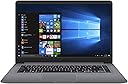
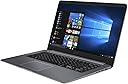
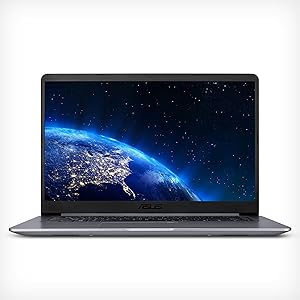
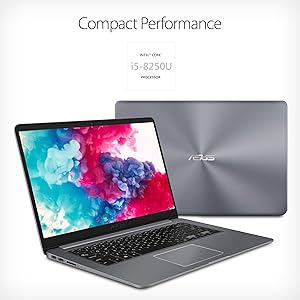
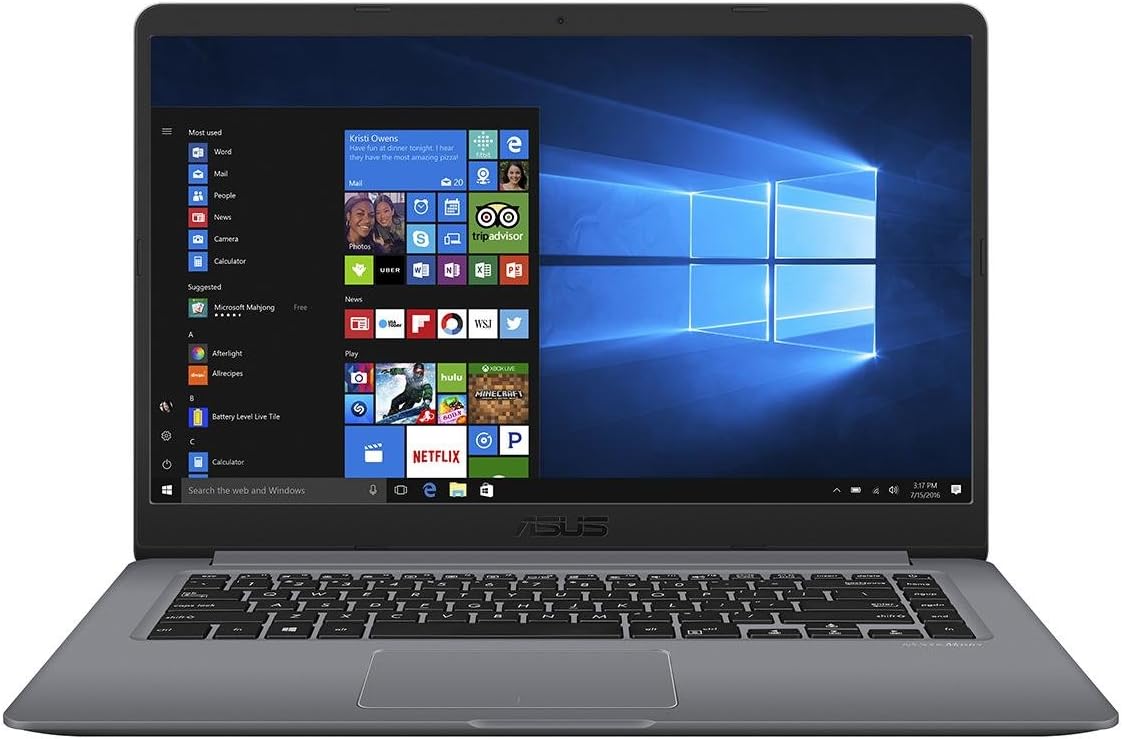
The ASUS VivoBook F510UA is a thin, lightweight 15.6-inch laptop featuring a powerful Intel Core i5-7200U processor with Turbo Boost up to 3.1GHz, 8GB DDR4 RAM, and a spacious 1TB HDD. Its NanoEdge Full HD display offers an immersive 80% screen-to-body ratio, while the fingerprint reader ensures secure, quick access. Comprehensive connectivity options including USB Type-C and 802.11ac Wi-Fi make it a versatile choice for professionals on the go.


| ASIN | B07JJR5SJ5 |
| Audio Output Type | Speakers |
| Audio Recording | No |
| Automatic Backup Software Included | Windows 10 |
| Available M2 Slot Count | 1 |
| Battery Cell Type | Lithium Ion |
| Battery Life | 42 Watt Hours |
| Best Sellers Rank | #235,515 in Computers & Accessories ( See Top 100 in Computers & Accessories ) #43,648 in Traditional Laptop Computers |
| Biometric Security Feature | Fingerprint Recognition |
| Bluetooth Version | 4.1 |
| Bluetooth support? | Yes |
| Brand | ASUS |
| Built-In Media | ASUS VivoBook F510UA-AH50 Laptop, Power adapter and cord, User Manual, Warranty card |
| CPU Model | Core i5 7200U |
| CPU Model Generation | 7th Gen |
| CPU Model Number | Core i5-7200u |
| CPU Model Speed Maximum | 3.1 GHz |
| Cache Memory Installed Size | 3 |
| Cellular Technology | WIFI only |
| Color | Gray |
| Compatible Devices | External displays, USB devices, Mice, Keyboards, Storage devices, Printers, Wireless headphones, etc. |
| Connectivity Technology | Bluetooth, HDMI, USB, Wi-Fi |
| Customer Reviews | 3.8 out of 5 stars 461 Reviews |
| Display Resolution Maximum | 1920x1080 Pixels |
| Display Technology | LED |
| Display Type | LED |
| Form Factor | Laptop |
| Front Photo Sensor Resolution | 0.3 MP |
| Global Trade Identification Number | 00192876179260 |
| Graphics Coprocessor | Intel HD Graphics 620 |
| Graphics Description | Integrated |
| Graphics Ram Type | Shared |
| Hard Disk Description | HDD |
| Hard Disk Interface | Serial ATA |
| Hard Disk Rotational Speed | 5400 RPM |
| Hard Disk Size | 1000 GB |
| Hard-Drive Size | 1000 GB |
| Hardware Interface | USB |
| Human-Interface Input | Touch Pad |
| Item Dimensions L x W x Thickness | 14.2"L x 9.6"W x 0.8"Th |
| Item Type Name | Laptop |
| Item Weight | 2.4 Pounds |
| Keyboard Description | Ergonomic chiclet keyboard with fingerprint sensor |
| Keyboard Layout | QWERTY |
| Lithium-Battery Energy Content | 42 Watt Hours |
| Manufacturer | ASUS |
| Memory Clock Speed | 3.1 GHz |
| Model Name | Asus VivoBook F510 |
| Model Number | F510UA-AH50 |
| Model Year | 2018 |
| Native Resolution | 1920 x 1080 pixels |
| Notebook Pointing Device Description | Touchpad with Fingerprint Reader |
| Number of Ports | 4 |
| Operating System | Windows 10 Home |
| Optical Storage Device | No Optical Drive |
| Other Special Features of the Product | Anti Glare,Bezel,Fingerprint Reader |
| Power Device | AC adapter |
| Processor Brand | Intel |
| Processor Count | 2 |
| Processor Series | Core i5 7200U |
| Processor Speed | 2.5 GHz |
| RAM Memory Installed | 8 GB |
| RAM Memory Technology | DDR4 |
| RAM Type | DDR4 SDRAM |
| Ram Memory Maximum Size | 16 GB |
| Resolution | 1080p |
| Screen Bezel Thickness | 0.3 inches |
| Screen Finish | anti-glare |
| Screen Size | 15.6 Inches |
| Specific Uses For Product | Business, Multimedia, Personal |
| Total Number of HDMI Ports | 1 |
| Total Usb Ports | 4 |
| Touch Screen Type | No Touchscreen |
| Touchpad Feature | Fingerprint Reader |
| UPC | 192876179260 |
| Unit Count | 38.4 Ounce |
| Video Output | HDMI |
| Video Processor | Intel |
| Voltage | 5 Volts |
| Warranty Description | 1YR International/1YR ADP with 1-way free shipping/30-Day Zero Bright Dot/2-way FREE shipping for standard warranty repair/24-7 tech support |
| Webcam Capability | No |
| Wireless Compability | 802.11ac |
| Wireless Technology | Bluetooth, Wi-Fi |
D**N
It is very thin and lightweight
Over all I am very happy with this purchase. I have always had good service from ASUS Products. This laptop seems quite snappy, speedwise. It has a nice clear screen that seems to refresh quickly. It is very lightweight and only .7" thick. You can barely feel it on your lap. I don't play games so I cannot tell you how it would do, but for a kid in school or college student, I think it would be a god choice. The keyboard seems responsive and comfortable. It's not as nice as my HP elitebook, but it is also less than half the price. It connected to my wi-fi quick and easily.
C**A
Perfect for work!
The laptop is pretty decent when you take the price, performance, and convenience into consideration. Its definitely on the lighter side so carrying it isn’t a struggle/hassle. I personally use this for work and I can definitely say that I am satisfied with its performance thus far. 10/10 would recommend to anyone looking for a decent computer within a reasonable price margin.
K**C
screen dead & battery life? (2nd update, 3rd rev)
2021-November update Less than three years and the screen blacked out, blank. The CPU is not Win11 compliant, either. Performance has steeply degraded this year. I found the key to getting 6 to 8 hours on the battery. To do that, you need to run it in "battery saver" mode. That did the trick so I added one star. Asus support was not very helpful on this topic. All she did was have me delete the a battery driver to reinstall the same one. I'll revisit the rating in a couple of weeks. I really like it so far after a couple days use. -------------------------------------- notes from January 9------------------------------------------- My first time out on battery was sub-par. This is day #2 of ownership. I left home at 12:50PM, sleep mode, 60% brightness. Turn it one for a few minutes, returned to sleep mode. Turned it on for about 90 minutes, returned to sleep mode. Turned it on at about 3:45 and by 5:12 the battery is almost drained, 9% or 21min remaining with battery-save on. At that metric, 100% would only be abut 233 minutes or less than 4 hours. The advertising says 8 hours on a full charge. What's up with this, ASUS? Help me. In the meantime, I'll give it another good charge and try again. I really like the form, weight, utility. The battery being non-replaceable is problematic after such an anemic start. At 6% it went into hibernate mode, I guess, and it restarted ok after powering up on the charger @ 5:16 PM or about only 4.5 hrs use/sleep. I was able to finish up this review after plugging in. Microsoft is becoming increasingly annoying and intrusive, I think. It wants to attach a microsoft account & email address to each user, for example. Due to the poor battery performance, I would return this laptop in a heartbeat, but I hate the thought of having to rebuild a replacement. I hope ASUS can help me here.
L**W
Sudden death
I bought this computer on July 11, 2019. It died a sudden death on June, 5. 2022. The last dialog I saw on the screen said the battery was low and to plug in the charger, which was already plugged in. I could not figure out what the problem was. I found an older 19 volt charger that I made work. But, nothing. I bought a replacement battery and charged it overnight. At least went through the motions of charging. But, once again - nothing. Off it goes for recycling. But I loved that computer and have hope that ASUS has since fixed the problem. This laptop is very light weight ,which made it easier to use and lift off the table beside me. So, I bought another one just like it in June 2022. Hopefully, this will last longer than three years.
J**N
Satisfied
Pros: - touchpad works very well - good enough specs for the price - upgrading doesn't void warranty - speakers are actually pretty decent - really thin and light Cons: - M.2 is sata, not PCI-E - keyboard flex messes with touchpad - M.2 doesn't include screw - specific specs aren't listed exactly for upgrade purpose
M**0
It's a good laptop, on some levels
I got this laptop and it was nice and fast, ran everything like it was supposed to, no hardware issues, no none of that. However, here is why I rated this product 3 out of five stars 1. The onboard internal hard drive is super slow, clocking in at 5400 revolutions per minute. This drastically slows down the machine. 2. You can't upgrade it like every other review states that you can. I don't know how they did it, but I have bought two different m2 SSDs, one sada and one NVME, and neither works. Neither showed up in my bios. Neither showed up in Windows. Neither showed up anywhere that there was to show anything up. I had the same problem with installing ram. I popped another 8 gigs in there which was supposed to be "Garunteed compatible with my system, and yeah I checked other places to) from Crucial. Windows had no idea it was even there. Heck, maybe all the other slots that got nothing in them on my motherboard are just disabled, but if they are, I think the company oughta worn the end user of that. Overall, sure I'd buy this computer for a computer. I use it every day and for various tasks, audio production, programming, data collection, schoolwork... and it does good. But it has the potential to do so much better and won't. Some general tips to get the most out of this machine to compensate for the laggy hard drive: 1. Check your startup items by opening the run dialog with win + r and typing msconfig. Select the startup tab and make sure nothing stupid is getting run when your laptop boots. 2. Enable high performance (Skip if you care about battery). Pres win + x and select mobility center. Select high performance. 3. This is the big one: disable ram compression. This requires editing your registry. Open regedit and head over to local device/system/current controller/control. Go ahead and change the key called SvcHostSplitThresholdInKB. If you ordered this with 8 gb, right click it and select modify. Type 8388608 If you somehow managed to get 16 gigs in here, type: 16777216 Hope that makes your machine more snappy, certainly helped me out. I'll edit if I manage to somehow get this dagone m2 ssd to be recognized.
B**S
nice replacement for older laptop
Picked up this ASUS laptop in a prime day deal. it's all it claimed to be. I have and have had other ASUS computers and notepads, all performed extremely well. The one thing about this laptop you might want to consider before purchasing is the inane location of the power button, right where DELETE key is (SUPPOSED TO BE) on most keyboards. Get around is to disable it, and close lid to put in sleep mode, or power down completely using windows option. You will still be hitting the power button instead of Delete, but I'm hoping I get used to its left of power button position on this laptop.
R**L
Buy the SSD
I bought this computer and a separate SSD (cheaper than buying it with the computer) installation of the SSD is very easy with basic tool kit. Without the SSD upgrade the computer performs about how you would expect a $499 computer to perform. With the SSD it is AMAZING for the price. I’m not gaming with it or anything but the basic functionality of it is so fast now.
D**N
Great Laptop PC @ a Great $...😊
It’s a great little computer and at a great price. I’d recommend to anyone looking for a great entry level laptop PC.
8**6
Buen producto
Al año de comprarla empezó con errores de memoria, se pone pantalla azul mostrando el error, se pone un contador de % y se reinicia. Pero muy buena
M**A
Excelente calidad precio
Muy buen producto, rápida y con seguridad de huella dactilar, pero el hecho de que el teclado no sea luminoso y que no tenga mucha luz en pantalla le daría un punto menos, pero por lo demás es excelente. Pantalla muy amplia y muy delgada comparada con otras marcas.
C**N
Buenísima para la escuela
Como alumno de posgrado, esta laptop me ha resultado bastante útil. Se enciende en segundos y uno puede comenzar a trabajar enseguida. La única desventaja es que el teclado es americano, pero la primera vez que se enciende se puede configurar a un teclado español. Además, si te la pasas todo el día trabajando en ella como yo, no necesitas stickers con las letras y símbolos porque ya los conoces todos jajaja
O**Z
Falla la pantalla
La pantalla viene con defecto de fábrica, falla y se queda negra de la nada, además la computadora es muy lenta, algo que no es común para una computadora con dicho procesador. Sale además una marca en la pantalla después de una hora de uso. Veamos cómo funciona el proceso de devolución o de garantía con este producto que compramos hace apenas un par de días. Edición:30/10/2019 Se hizo el trámite de devolución en los días que marca Amazon para devolución (se realizó a 10 días de su compra) y se regreso el monto total del producto. 100% satisfecho con el servicio de devolución.
Trustpilot
1 month ago
1 month ago