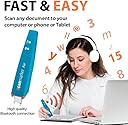
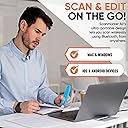
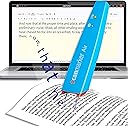
📲 Scan smarter, work faster, stay ahead.
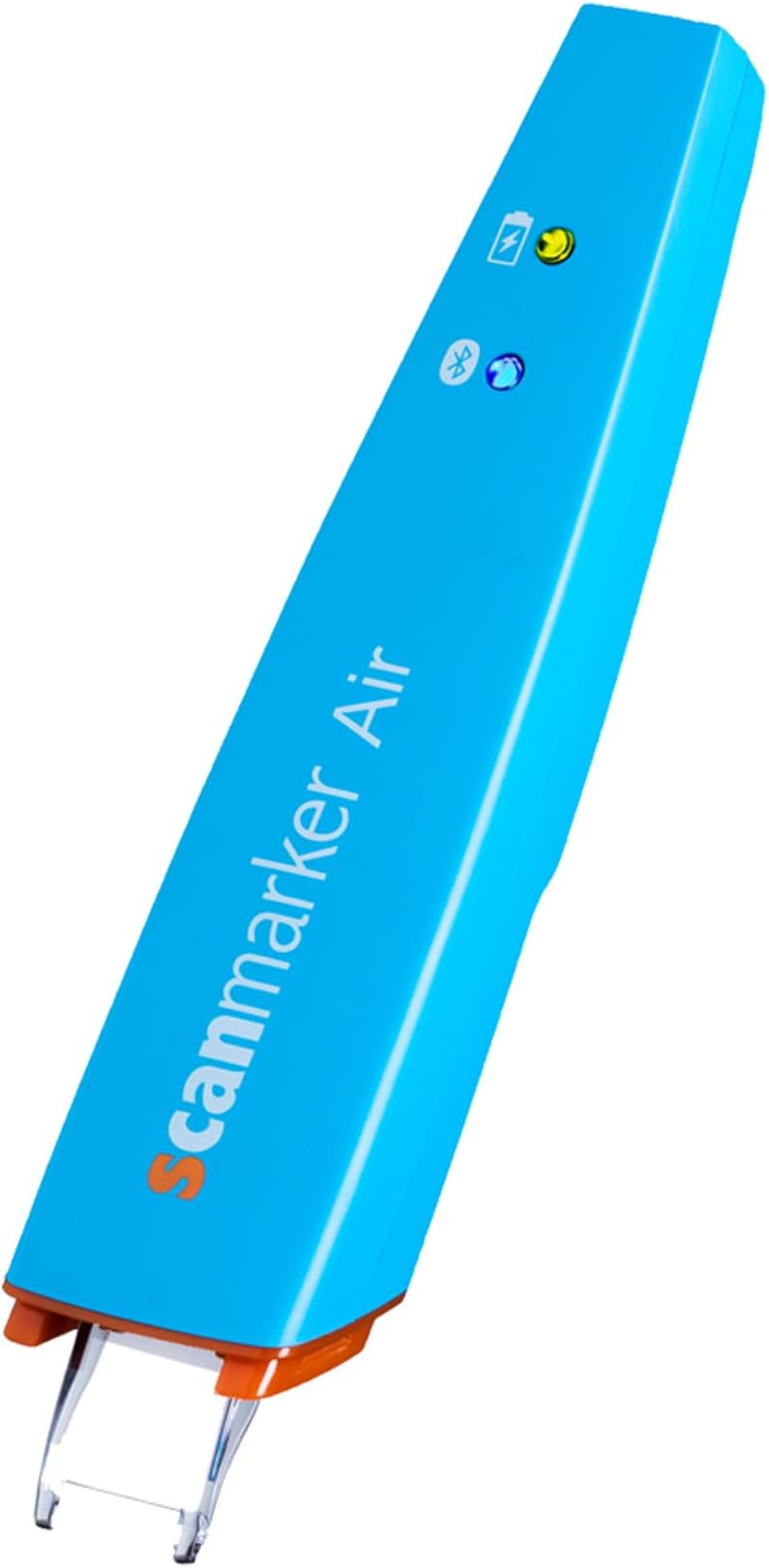
The Scanmarker Air Pen Scanner is a compact, wireless OCR highlighter that instantly digitizes printed text into editable formats across Mac, Windows, iOS, and Android devices. Featuring fast, accurate multilingual scanning, real-time editing, and translation capabilities, it’s designed for busy professionals and students who demand efficiency on the go. Its rechargeable battery and Bluetooth connectivity ensure seamless, portable productivity wherever you are.


| ASIN | B0762TMBTM |
| Best Sellers Rank | 93,759 in Computers & Accessories ( See Top 100 in Computers & Accessories ) 107 in Document Scanners |
| Brand | Scanmarker |
| Brand Name | Scanmarker |
| Color Depth | 1 bpp |
| Connectivity technology | Bluetooth |
| Customer Reviews | 3.8 out of 5 stars 5,237 Reviews |
| Item Weight | 0.06 Pounds |
| Item weight | 0.06 Pounds |
| Light Source Type | LED |
| Manufacturer | Scanmarker |
| Media Type | Slide |
| Minimum System Requirements | Mac OS X 10.8+, Windows 7+ (desktop) |
| Model Name | Scanmarker |
| Model name | Scanmarker |
| Network Connectivity Technology | Bluetooth |
| Optical Sensor Technology | CMOS |
| Product Warranty | 1 Year Manufacturer |
| Resolution | 300 dpi |
| Scanner Type | Document |
| Scanner type | Document |
| Standard Sheet Capacity | 1 |
| UPC | 798304420388 |
T**E
Very Good Timesaver
My Scanmarker arrived 10 days ago. While I had spent some hours online looking at comparable products and reading customer reviews I was apprehensive since customer responses seemed so uneven. I needed it for transferring short quotations from books into a MSWord based text file. Having had nearly two weeks of pracice I can say it is a very good product and saves me lots of time. Some people complained abut accurracy. I have found only two sources of problems: 1) user skill. It works best when moved in a swift smooth straight line across the printed page. My skill in doing this is very good after a week or so of practice. 2) If the page cannot be laid flat, sometimes the end of the text line won't scan perfectly. This is mostly an issue with softcover books which won't lie flat when open.Most hard bound books can be laid almost flat and scanning is very easy. Even with softcover , with a little effort the book can be placed on the desk and held firmly with one finger while scanning with the other hand. I didn't buy it for translation but I have amused myself scanning some of President Trump's tweets into Spanish and Italian and the result is, to my eye, quite acurrate and interesting! I have not done a thorough check on other langugaes.
R**G
Simple, accurate OCR pen
I take study notes using progressive summarization (HT Tiago Forte). This device is perfect for those books that aren't available on Kindle. It works really well with my Android phone and setup is quick and simple.
A**1
Satisfied with the scanmarker
After using daily for 2 weeks these are my comments. Took a bit of getting used to but once you get a bit of practice it is very useful and quite effective. Generally works well and can manage most printed text I frequently use. White text on coloured background was an issue however. It's light and comfortable in the hand and guiding the scan, speed and angle of the unit is straight forward I'm a lefty so can configure it to scan right to left which was essential to getting the word rate up. Battery life is modest lasting 1-2 hours at most. Full charge is over an hour for me. The software is basic with limited in app functionality. However the main requirement for me establishing and maintaining Bluetooth connectivity and OCR. It does these well. In summary happy with the purchase
R**R
Flimsy and marked my pages, then broke!
There is a reason it is cheaper than a C-pen. If you are dyslexic then this not the scanning pen for you. Flimsy and markedmy pages I my text books and printed paper badly. Then it just scanned gobbledegook and the stopped working all together. Went back to C-pen. Worth every penny.
N**R
Be aware of the drawbacks
I have just purchased ''Scanmarker'' and I am not satisfied. Scanning text: The scanner’s tip is done of hard plastic. Consequently the scan process does make marks on soft paper pages even if you apply the ''minimum'' pressure to operate the scanner. That is definitely not acceptable when scanning text on very expensive books. To start the scan you have to press the surface with the scanner’s tip and continue pressing during the scan of the text. At the end of the scan to document if you like to insert a line return such that the next scan will be inserted on a new line you will have to click the scanner’s tip one more time at the end of the scan. Consequently it is not surprising that you will get marks on the pages due to the pressure that must be applied several times with the hard plastic scanner’s tip to operate the scanner. This is a wrong design. The pen shall have two buttons on the side: one to press during the scan and a second button to press to insert a line return (eventually it could be programmable to perform other actions). Then it will be possible to have a ''soft'' touch of the pen on the paper during the scan and not leaving any pressure marks on the paper. But please no hard plastic tips to be press on the paper! Translation and Read aloud: The modes ''Translation'' and ''Read aloud'' do not work without internet connection! I have downloaded a file of 1/2GB and I still have to be connected to internet to have the full functionalities of the product! That is also not acceptable. ''Scanmarker'' could have at least provided the possibility at the time of installation to download the additional code required for one or more particular languages of my choice. The fact that you must be connected to internet is not mentioned in the description of the product. And it is also not mentioned on the paper User’s Manual which is delivered with the product or on the User’s Manual that you can download from the manufacturer! It is only when you try to use the ''Translation'' or the ''Read aloud'' function that you discover that you must be connected to internet to have it working: this is very tricky from the manufacturer to hide that requirement to the buyer. I do not like to be permanently connected to internet and I do not like that somebody else is monitoring what I am scanning: it is a PRIVACY issue! The Widget: ''ScanMarker'' is placing a widget on the left side of your desktop. But you cannot move it where you want: you can only move it vertically. Consequently if the left side of your desktop is fully occupied with icons the widget will hide some of them. It is not really very convenient. I should like to be able to place the widget where I want on my desktop. Trial Period and activation (registration): In addition you must be aware that after you purchase that product you will be able to use it ONLY for a TRIAL period of 30 days! The software requires to be activated (registration) via internet. Although the scan process itself looks to perform in an acceptable manner you have to be aware of all the above drawbacks before buying ''ScanMarker''.
V**F
Brilliant gadget.
Having read some of the reviews I became a bit scared and was quite prepared to send this back. However I managed to get it working within a few minutes on my Mac. Do not follow the instructions on the leaflet go to the Scanmarker website and download the appropriate software. I have had none of the problems mentioned by the other people. It has already translated some documents from Spanish to English for me. So far it appears fairly accurate although as with any translation device it’s better to read with a bit of caution.
I**A
Not iOS compatible
This is a good product in principle, although it feels plasticky in the hand. Despite stating otherwise, this digital highlighter does not connect on iOS using the provided apps - the apps simply don't worry. They install fine but the functionality ends there. It works as expected with a MacBook if you're using the software, but please be aware there is no iPhone or iPad compatibility, certainly for the iPhone 13 or iPad mini 5. I expect there was previous compatibility several iOS updates a go but we're talking years not months here. Disappointing to be honest. In terms of scanning, the accuracy is fairly good but I worry about the longevity of the product due to its light and flimsy feel. I would recommend the C-Pen Reader 2 over this hands down, even with the price difference.
J**S
Worth getting it
The scanner is very easy to install - just one App from App Store (in my case) and couple pages of instruction then I can start using it. The most useful feature for me, other than ease of use, is scanning directly to Word. The read out loud function is most useful for young students with dyslexia. I've seen other product with the same functionalities but would cost double if not triple the price.
A**P
Kablolu versiyonuna göre daha hatalı okuyor
Windows'a kutu içinden çıkan dongle ile bağlamak gerekiyor. Dizüstü windows bilgisayarımın dahili bluetoothu ile bağlanamadım (Win10). Mac Mini bilgisayarımda ise dongle işlevsiz ille de dahili bluetooth ile bağlamak gerekiyor ancak ona da tanıtana kadar akla karayı seçtim. Bir kere tanıttıktan sonra ise hiç bir sorun çıkmıyor. Tarayıcıyı çalıştırıp yazılımı açtığınız an kullanıma hazır. Lazerinin rengi beyaz, kablolu olanınki kırmızı idi, kırmızı lazer çok göz alıyor yoruyor ağrıtıyor, beyaz lazer çok çok daha iyi. Hatasız okuma oranı kablolu versiyona göre düşük. Bataryayı tamamen boşaltacak kadar denemedim ancak günü kurtaracak gibi görünüyor. Bir paragrafın tümünü taratmak istediğinizde genelde sonlara doğru yavaşlıyor ve uzun bir süre boş bekleyip sonra bir anda aktarıyor (Word). Kablolu şekilde kullanımda süre kısalıyor tabi ki. Bazen normal bir yazıyı saçma sapan harfler ve semboller şeklinde aktarsa da genel olarak çok güzel bir ürün. Ciddi manada zaman kazandırıyor. Çeviri özelliği güzel çalışıyor. Seslendirme özelliği de gayet güzel, ki zaten işletim sistemiyle alakalı bu durum. Uzun metinleri tararken düzeltme yapma ihtiyacınız oluyor illa ki. Mesela çocukların kelimesini çocuklann şeklinde matematik kelimesini ınateınatik gibi okuyabiliyor. İtalik yazılarda hata payı artıyor. El yazısı okuma neredeyse hiç yok ya da benim el yazım kötü bilemiyorum. Barkod okuması zorlayıcı, gerçi kim niye bununla barkod okutma ihtiyacı duyar bilmiyorum. Narin bir alet fazla zorlamaya gelmez, yine de kalitesiz gibi durmuyor. Yazılımı IRISPen yazılımı ile birebir aynı. IRISPen yazılımı ile de kullanılabilir. Zaten yükleme ekranının sonunda ereşilebilirlik izin isteği soruyor orada da IRISPen şeklinde pencere açıyor (Mac Os). Fiyatı biraz tuzlu ancak değer mi? Bence değer.
M**A
Sbalorditiva!
Sto scrivendo la tesi di laurea, e dovendo lavorare su diversi libri presi in prestito dalla biblioteca universitaria, di cui alcuni anche molto delicati, non riuscivo a trovare il modo di sottolineare i passaggi che mi interessavano, non potendo ovviamente sottolinearli materialmente. Inizialmente riscrivevo manualmente su word le parti che avrei voluto sottolineare, ed è inutile dire la quantità di tempo che questo metodo mi faceva perdere. Poi ho pensato di provare la scanmarker, di cui avevo sentito già parlare tempo fa. Ero un po’ scettica a causa di alcune recensioni che lamentavano una decisiva mancanza di precisione, le cui correzioni richiedevano poi un tempo infinito. Posso assolutamente smentire, almeno per quanto mi riguarda: questo strumento mi ha cambiato la vita. Ora mi basta evidenziare le frasi interessanti per ritrovarmele copiate automaticamente su word, con un margine di errore davvero minimo (ad esempio a volte scrive la “i” accentata scambiando il puntino per un accento). Tutto sta nel prendere la mano e riuscire ad evidenziare alla velocità giusta, stando attenti ad andare più dritti possibile. Per non parlare della funzione di traduzione: è geniale, anche se non precisissima comunque davvero utile! Basta impostare la modalità traduzione, scegliere le lingue, e passare la penna su una qualsiasi frase per vederla apparire sullo schermo automaticamente tradotta: sono rimasta senza parole. Se proprio dovessi fare un appunto, ho trovato la funzione vocale che legge ciò che evidenzi leggermente in ritardo, ma io non la utilizzo e quindi non mi disturba. La consiglio assolutamente agli studenti, fa risparmiare tempo e pazienza!
C**T
Wish I had found this earlier - AMAZINGLY Product
I am absolutely blown away with the ease and simplicity of this pen scanner. It is a purchase I really see as time saving and work efficient. The ability to scan written text, save, forward and upload and convert into a document is time saving. You can edit, add correction and save work progress. I am left handed it is an asset to have a product that caters to my needs. Highly recommend !!! It really does everything it says. I use in on my iPad - but to have the availability to connect to my phone (android) makes this purchase even sweeter.
H**S
Reliable, targeted product.
I'm an academic and this is a great device. Caveat: when I got mine, it would not stay connected to my computer. I filed a request for assistance on their web page (as per instructions) and they got back to me within a few hours. We set up a phone appointment, and in less than 10 minutes they corrected the problem, and I've had zero difficulties since. Now, with that caveat, here is my review: this is a very targeted device. It has one primary job, and it does it splendidly. That job is to copy text from the book or paper you are reading (or from a Kindle: it works flawlessly with kindle paperwhite reader) from the page, into your notes. It will scan into Scrivener, into Word, into Pages, into plain text. It does so quickly and accurately and reliably. Why would you pay to have that done? Why not just type the quotes in yourself? Well, you could, but this is so much faster and more accurate. And when you are doing initial research on a project, your first weeks involve little more gathering quotes and possible notes from others. You can spend an entire day in the library doing nothing but collecting relevant snippets for your paper, and during those long hours, this device is a godsend. You get so much more done in so much less time. You scan in your quote (maybe even a paragraph or two) in no more time than it would take you to highlight it. Then type in your comments and cross-references and the whole thing is already sitting in your notes, and so what, in earlier days would have been your highlights and your marginalia are suddenly already filed away and they are both searchable text-- so you can actually find that quote again when you need it. Brilliant. Especially if you are working with library texts that you cannot highlight, this is great. Pros: speed, accuracy, battery life, workload reduction, faster research and writing: all plus plus plus. The only con, and it's a reach: This is not a device for older texts-- I am thinking here of anything 18th century or before--even some 19th century. Like any OCR scanner, the software simply cannot read the older fonts. Additionally, you should be aware that the pen lights up strongly as it scans and transfers text, so any text the library will not let you photograph with a flash will not be available for use with this pen either. Also, this is a text only device. It will not scan formulae or images. But even with that sort of very limited limit, this thing is worth its weight in gold to any academic or student. I've a dear young man in my life who is headed off to university this year, and I will absolutely be purchasing a second one of these to send with him. I don't doubt he'll put some miles on the thing.
J**X
Molto utile
Eccezionale
Trustpilot
1 month ago
2 weeks ago