Desertcart purchases this item on your behalf and handles shipping, customs, and support to Austria.
🎨 Print Your Brand Boldly — Labels That Speak Your Style
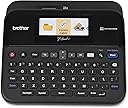
The Brother P-Touch PTD600 is a premium PC-connectable label maker featuring a vibrant full-color backlit LCD, a large keyboard for quick input, and USB connectivity for Mac and PC. It offers high-resolution thermal printing at 400 dpi, supports multiple tape widths, and includes extensive customization options with fonts, styles, frames, and symbols. Designed for professionals who demand durable, fast, and visually striking labels, it also stores up to 99 labels for quick reprints and comes with an AC adapter for reliable power. Perfect for office or personal use, it delivers laminated, water- and fade-resistant labels that elevate organization and branding with ease.


| ASIN | B00OCEKCB2 |
| Additional Printer Functions | Print Only |
| B&W Pages per Minute | 1 |
| Best Sellers Rank | #85,973 in Office Products ( See Top 100 in Office Products ) #114 in Label Makers |
| Brand | Brother |
| Built-In Media | 24mm x 4m black on white Brother TZe durable, Labelmaker, Laminated tape cassette, Power Adapter, USB Cable |
| Color | Black, Grey |
| Color Depth | 24 bpp |
| Color Pages per Minute | 1 |
| Compatible Devices | PC, Mac |
| Connectivity Technology | USB |
| Control Method | Touch |
| Controller Type | iOS |
| Customer Reviews | 4.7 out of 5 stars 3,787 Reviews |
| Display Type | LCD |
| Duplex | Automatic |
| Global Trade Identification Number | 00012502639411, 00638084552537 |
| Hardware Interface | USB |
| Ink Color | Multiple (black, red, blue, etc.) |
| Item Dimensions D x W x H | 7.6"D x 7.9"W x 3.4"H |
| Item Type Name | Brother PT-D600 PC-Connectable Desktop Labeler |
| Item Weight | 2.1 pounds |
| Manufacturer | Brother Printer |
| Maximum Copy Resolution Black and White | 400 dpi |
| Maximum Copy Resolution Color | 300 dpi |
| Maximum Media Size | Paper Roll |
| Maximum Print Resolution Black and White | 400 dpi |
| Maximum Sheet Capacity | 1 |
| Maximum print Resolution Color | 300 dpi |
| Model Name | PTD600 |
| Model Number | PTD600 |
| Model Series | PTD |
| Number of Trays | 1 |
| Other Special Features of the Product | Display Screen, Internal Memory |
| Output sheet capacity | 1 |
| Paper Size | 0.94 inches |
| Print media | Labels |
| Printer Connectivity Type | USB |
| Printer Output Type | Color |
| Printer Type | Thermal |
| Printing Technology | Thermal |
| Resolution | 400 x 400 dpi |
| Special Feature | Display Screen, Internal Memory |
| Specific Uses For Product | versatile for both business and personal labeling needs |
| Total USB 2.0 Ports | 1 |
| Total Usb Ports | 1 |
| UPC | 125026394114 800188055577 638084552537 012502639411 |
| Unit Count | 1 Count |
| Warranty Description | 2 years limited warranty |
| Warranty Type | limited warranty |
E**N
WOW I love this machine!
I tried one of the less expensive Brother label printers, but returned it because I could not read the non-backlit LCD. It was very low contrast, and I was very disappointed. I searched for one with a backlight, and ran across this one - with an LED screen - in full color, and graphical user interface. I have to say, it is almost an Apple experience using it! Very very nice interface, once you figure it out, and extremely easy to use. I love the fact that you can have ½", ¾" and 1" tape from the same machine, and that it automatically detects the tape and the color of the tape and ink, so the display looks exactly like what you will see. With the option for close cut, you only lose about ¾" of tape for each label, which is very good. I have poor eyesight, so their thick font on 1" tape works great in my lab - I can read them without having to get up close and put on my reading glasses. In theory, the unit runs off of 6 AA batteries. However, I would say only if they are very fresh. The printer draws too much juice if the batteries are not in absolutely great condition. My first effort with the printer was a small disaster. I did not know how the cartridges worked, and the first cartridge had the tape coming out wrong (not going around the little corner). So, instead of the tape going thru the cutter and out the side of the printer, it was going back into the printer! And of course - what a mess! I managed to get the cartridge out, and remove the tape - I had the tape loop out about 6" with separated clear tape, the backing tape, and the ink tape all out in loops. So, I called Brother for help. Frankly, the guy answering the phone was of absolutely no help, and could not think - he had to follow a script. One element on the script was "Is this a genuine Brother tape?" No. Sorry, can't help you. Not what I would call great customer support. So, I went on YouTube and looked for "what is inside a Brother tape cartridge" and "how to fix a Brother tape cartridge." Once armed with that, I realized I only had to pull out the excess tape and cut it off, making sure it came out where it was supposed to. Lost about 10" of tape, no big deal, and it worked fine. While I cannot recommend their technical support, I can certainly recommend the machine! It does a fantastic job, with all of the options offered. It also can be connected to your computer as a label printer, and you can download software to make even fancier labels with that - so far, I have not needed anything I can't do right out of the machine. LED display with graphical user interface, multiple tape size support - a great product!
R**L
PTD600 Great Label Maker... but don’t forget to remove second lcd protective film covering
This label maker/printer just flat out rocks! It works great and is so much fun to use. The only issue I had was unpacking it, really, unpacking it. Look, I am no dummy but I missed an important step that caused a lot of angst. When I first got it, l took it out of the box and bag, removed the plastic film on the lcd and tape windows, put 6 AA batteries in, I powered it up and got this weird rainbow diagonal line pattern. What the heck, no one else had complained about this, no complaints about about how crappy the display looked. Searched Amazon and Brother sites and FAQs, no help. I even bought a second unit at a local office supply store ... exact same problem, fuzzy rainbow pattern. Brother to the rescue... sent Brother an email and they shared with me there was a second transparent film covering the lcd display. This film is impossible to see, there is no “remove me” note or a pull tab like on a cell phone. You have to use a finger nail to scrape a corner of the lcd and get the film to roll up. Peeled off the film and viola, all was right with the world. Super crisp bright color display. Thank you Brother Customer Service, but oh Brother couldn’t you give us a clue that there are two layers of protective film on the lcd display. I cannot be your first complaint. Now I am doing my Happy Dance but it took a while to get here.
B**E
Great Label Maker To Get You Organized (I only regret not getting the carrying case)
Personal Experience: This is the second of this exact label maker I have purchased. The first was for work and I was extremely impressed with the features, speed, versatility and ease of use that I wanted to purchase one for my house. Some may say that this label maker is "overkill" for home use but if you want to print a 24mm wide tape then you might as well get this label maker. The first thing about this label maker that makes it a best buy is the ability to print either plugged into the wall or with batteries. Having the flexibility to print anywhere really makes this product shine because there are times when I want to be at my desk and organize while other times I am organizing in my garage without the power cord. The next feature that I really appreciate is the easy to use interface, creating and printing labels are straight forward and only takes a few seconds. The last thing that I really appreciate about the label maker is its ability to change tape sizes quickly. When I print labels for large bins I tend to use the 24mm tape and when I print labels out for my toolbench screw drawers I stick with the 12mm tape. Like I said at the beginning of my review, this is the second time I have purchased this exact label maker and I really like it, the only regret is that I did not splurge for the carrying case when I bought one for my house. I still gave the product 5 stars because the label maker works just as well with or without the carrying case. Recommend: Yes (get the carrying case if you see it on sale or want to keep your tape and printer together) Pros: Can be powered with a cord or batteries Software is easy to use and lets you print out labels in seconds Multiple sized and colored tapes can be used Color screen is large and very easy to read Computer connection lets you print out more complex designs on labels Keyboard is easy to read and feels like a quality product Cons: Computer software is not as easy to use as printer on-board software Without the case you have to store your tape somewhere
H**N
Avoid any wasted tape with these slmple solutions.
Received this yesterday evening and made about 30 labels last night and love love love it!! I didn’t even look at the directions as it was that simple to figure out. For those talking about wasted tape, I saw what you meant on the first label printed. To easily resolved this problem: 1. Click function button, scroll to “CUT OPTION” and click “chain” (my favorite). If making multiple labels, click “small margin” if you’re only printing one or 2. On “TAB LENGTH”, scroll down until it reaches “0.0” if you don’t want any excess on the side. And last but not least, after you have made your desired label go to “LENGTH” and keep reducing it until it pops up and says “letters to big, long, etc”, and then click it one up until is accepted, doing it this way assures me that I have it as compacted as possible to avoid any waste whatsoever. Unless I have a specific length that I want and I design my letter size, shape (font), frames etc to fit within the boundaries. Once you have the settings how you like it, click the “FN” button, scroll to the bottom and click on “SAVE” and store the settings on the number you choose because otherwise you have to repeat the same process each time you create a new label. I haven’t had any waste whatsoever since I made these adjustments. My only complaint is that the Automatic Settings go to the highest margin, tabs and length setting, which undoubtedly is to sell more product. Hope this easy solution helps resolve the problems you’ve been encountering.
B**R
Wonderful label maker!
This device is a delight to have around and to use. It makes home, garage, and office organization such a breeze. The variety of tape and font colors on the market is amazing, giving you infinity possibilities of how and where you can use these labels. Highly recommended! One of the best features of the device is that you can remove a tape cartridge and replace with another at any time. No need to cut off tape or re-feed anything. All of the work is done inside the cartridge, so everything is super simple and allows you to get creative on the fly! Wonderful design. WASTED MARGINS However, as others have pointed out, there is one design flaw in this device: there is ALWAYS a 1" wasted margin of tape every time you print a label. Brother gives you 2 "Cut Options" in the menu: 1) Large margins - this adds 1" blank margins on both the left and right ends of your label, in case you want blank spaces (why anyone would ever want this is kind of confusing to me, but it's the default option if you need this) 2) Small margins - although this does eliminate the extra 1" of wasted tape on the right end of your label, it will still ALWAYS waste an extra 1" of tape on the left side and simply cuts it off for you to discard EVERY TIME YOU PRINT A LABEL. I've noticed that my average label length (other than the margins) is about 2-3", so what all of this means is that the wasted margins will end up wasting 25-33% of the tape. So keep this in mind when you purchase new tape cartridges. Thankfully there are lots of 3rd party tape suppliers now that offer similar tape options as Brother but at a fraction of their prices, so the wasted tape isn't too costly to your bottom line. But still, do yourself a favor and collect all those wasted margins the printer chops off. You can write on them with a permanent marker and use them as little hand-written labels. That's better than just tossing them in the garbage as Brother seemingly intended for you to do. Other than the wasted margin design flaw, this is a fantastic device and well worth the price. You cannot go wrong.
N**B
Brother P-touch knows what it's doing with labeling printing
What's there to dislike? These are well designed, well thought out machines and they now have a lot of great features that give you a lot of flexibility & options. Yes, people complain about the long tabs on the labels - my suggestion is buy the generic label tape (sorry, Brother, but it's much much cheaper than name brand and seems to do an equally good job) OR plan out your labels - if I have 5 labels to make, l I type them all in at once, using 2 - 3 spaces between labels, print them and cut them apart with scissors..that way I only 'waste' the beginning and end tabs. But this is a review about the printer itself and I'd never ever buy generic for that - I trust Brother, I've had huge projects that involved hundreds of labels and the printer never ever let me down. Its worth the money because it'll last for years and years of labeling.
J**M
Great Label Maker and a Very Handy Piece of Equipment
I bought this specific unit because my workplace also has them. It's a nice unit, especially with the back-lit screen, the ability to print multiple label sizes, and all of the text options available. I use mine at home, and it's much more useful than you might initially think. For example, I use mine for car service stickers (e.g. they are stuck to the windshields of our vehicles indicating when the oil was last changed), labeling of drawers, and labeling of our circuit breaker box. The free software P-Touch Editor software is easy to use. I made some custom labels for fun using it, and they came out well. The quality of the print is not bad at all. The label on the back of my phone case (pictured) has been on there for well over a year. The labels themselves are fairly resilient. As you can probably tell, the phone case is fairly well abused, and the label is still standing.
T**N
WARNING: So good that using it is addictive
You might want to consider if you should buy a label maker or not. It's not quality, this thing is just fantastic. It's a little tank and keeps on printing. it's so good you'll find yourself prowling around the house looking for things to slap a label on. It gets a bit addicting. Worse well with the power supply or batteries. I'm getting comic book collection organized (>20,000 comics) , and slapping a label on a divider just makes everything look that much extra awesome. BTW, I bought some 3rd party JARBO labels. A 4 pack of White and a 5 pack with multiple colors. The colors are reflected on the screen just like the official label tapes are. I was constantly swapping between three labels: Thick white labels that came with the printer, thin white ones, and a color. The only problems I had is the red label tape got jammed up, but it was over half used up by that time. I've used 3 white ones and half the yellow w/o any problems. Considering how inexpensive the JARBO labels are, I recommend that you look into them. They are the perfect complement to the printer. The only downside is you have LOTS of label tape, so you'll go around looking for MORE THINGS to label. I spent an afternoon hunting up every power supply/adapter in the house and slapping a label on them. When you slap a "labelmaker" label on the label maker's power supply, you know you've got a problem. Don't say I didn't warn you!
P**A
Love it
Must have for people who love to organize. However, the tapes are expensive to buy
C**K
Buena compra
Necesitaba una etiquetadora para algunos productos, así que compré esta después de revisar muchas marcas y estilos y leer muchas reseñas. Cuando llegó, había algunos rasguños en la pantalla y la carcasa de plástico, así que llamé a Amazon y me atendieron en un santiamén. ¡Gracias, Amazon por su generoso y rápido servicio! ¡Esta etiquetadora es un gran artilugio! Me gusta que se conecte a mi computadora y puedo enchufarlo para no tener que usar baterías. Tiene un tamaño agradable que se coloca discretamente al lado de mi computadora de escritorio. Descargué la aplicación para Mac para que sea más fácil hacer las etiquetas en una pantalla más grande y guardarlas en mi computadora. Me sorprendió el costo de las etiquetas de Brother, así que pedí un paquete de 5 etiquetas transparentes Anycolor (Amazon's Choice) a un precio más razonable. A los pocos días de la entrega, ya había etiquetado mis productos con marcos con volantes alrededor del texto y puse etiquetas simples en muchas cosas en la casa. Acabo de pedir otro paquete de 5 etiquetas blancas de la misma empresa para poder seguir etiquetando todo lo que tengo a la vista. Por extraño que parezca, recibir esta etiquetadora me animó a deshacerme de algunas pertenencias y hacer una organización seria. ¡Es un poco adictivo en realidad! Creo que finalmente voy a poner mi casa en orden, simplemente porque es muy divertido usar esta rotuladora. Lo recomiendo altamente.
H**W
Good product
Very easy to use, you can change the sizes so its very convenient for all your labeling Wires, fuses, instructions etc.
D**R
Very easy to use
Excellent product very easy to use. Works very well in stand alone mode as well as connected to a computer.
A**O
Excelente
Dude al principio vs varios modelos en el mercado. Es super sencillo de usar, tambien conectarlo a la PC. Lo que ,as me inquietó son los cartuchos, si bien son caros, lo entendi por la calidad de la etiqueta. Si requieres hacer una inversión es buena opcion, en mi caso lo compre para etiquetar el material escolar de mis dos hijos y mis dos sobrinos, si solo deseas etiquetar de forma temporal, busca otra impresora más accesible. Imprime varias lineas de buena calidad, puedes ajustar los tamaños, el corte, crear códigos de barras, Qr, etc. Lo recomiendo ampliamente.
Trustpilot
1 month ago
1 week ago